
Zu den Produktinformationen springen
1 von 19

Rowsfire

Rowsfire Verstellbarer Ständer für Flight-Sim-Panels und Monitore — VESA

Clamp-Stil Mini-Monitorarm mit Gasfeder
Länge der Stützsäule
Monitorhalterung
Regulärer Preis
$149.99 USD
Regulärer Preis
Verkaufspreis
$149.99 USD

🔥 Black Friday Early: $132.00 at checkout (12% off) · Ends Nov 13 · PT Buy more, save more: 2 items 13% · 3 items 14% · 4+ items 15%

Zölle und Steuern inklusive. Versand wird beim Checkout berechnet.
  • Free Worldwide Shipping · Duties & Taxes Included
  • In Stock · Standard 14–30 business days (free) · Express 5–13 (+$29.99)
  • 30-Day Returns · 1-Year Warranty

Most popular: 2-Section arm + 75 cm column, chosen by about half of B107 and A107 Pro owners. Which one do I need?

    Verstellbarer Rowsfire-VESA-Ständer für Flugsimulationspanels und Monitore mit stabilem Metallrahmen und mehreren Befestigungsmöglichkeiten.
    Rowsfire verstellbare Halterung für Flugsimulationspanels und Monitore mit VESA-Halterungen, robuster Metallkonstruktion und mehreren Einstellpunkten.
    Rowsfire verstellbarer VESA-Ständer für Flugsimulationspanels und Monitore mit robuster Metallkonstruktion und individuell einstellbarer Höhe.
    Höhenverstellbarer Rowsfire-Ständer für Flugsimulationspanels und Monitore mit VESA-Kompatibilität, robustem Metallrahmen und anpassbarer Höhe.
    Rowsfire verstellbarer VESA-Ständer für Flugsimulationspanels und Monitore mit robuster Metallkonstruktion und mehreren Befestigungspunkten.
    Verstellbarer VESA-Ständer von Rowsfire für Flugsimulationspanels und Monitore, mit stabilem Metallrahmen und verstellbaren Armen.
    Verstellbarer Rowsfire-Ständer für Flugsimulationspanels und Monitore mit VESA-Halterung, stabilem Metallrahmen und höhenverstellbarer Höhe.
    Verstellbarer Rowsfire-VESA-Ständer für Flugsimulator-Panels und Monitore mit stabilem Metallrahmen und flexibler Positionierung.
    Verstellbarer Rowsfire-VESA-Tischständer für Flugsimulator-Panels und Monitore mit V-Klemme, geeignet für die 35mm-VESA-Montage.
    Rowsfire verstellbare VESA-Tischhalterung mit Klemme für Flugsimulationspanels und Monitore, mit V-Klemme und 35mm-VESA-Kompatibilität.
    Verstellbare Rowsfire VESA-Tischhalterung für Flugsimulationspanels und Monitore mit V-Klemme, geeignet für 35-mm-VESA-Aufnahmen.
    Rowsfire verstellbare VESA-Tischhalterung mit V-Klemme für Flugsimulationspanels und Monitore, mit flexibler Positionierung und stabilem Halt.
    Rowsfire verstellbare VESA-Tischhalterung mit Klemme für Flugsimulationspanels und Monitore, mit V-Klemme und 35mm-VESA-Kompatibilität.
    Verstellbare Rowsfire-VESA-Tischhalterung mit V-Klemme für Flugsimulations-Panels und Monitore, kompatibel mit 35mm VESA
    Verstellbarer Rowsfire-VESA-Ständer für Flugsimulations-Panels und Monitore, mit robuster Metallkonstruktion und flexibler Höhenverstellung.
    Verstellbarer Rowsfire-VESA-Ständer für Flugsimulationspanels und Monitore mit stabilem Metallrahmen und flexiblen Befestigungsmöglichkeiten.
    Verstellbarer Rowsfire-Ständer für Flugsimulationspanels und Monitore mit VESA-Halterungen, robuster Metallkonstruktion und mehreren Höheneinstellungen.
    Verstellbarer Rowsfire-VESA-Ständer für Flugsimulations-Panels und Monitore, mit robuster Metallkonstruktion und flexibler Höhenverstellung.
    Rowsfire verstellbare VESA-Tischhalterung für Flugsimulationspanels und Monitore mit V-Klemme zur sicheren Montage.
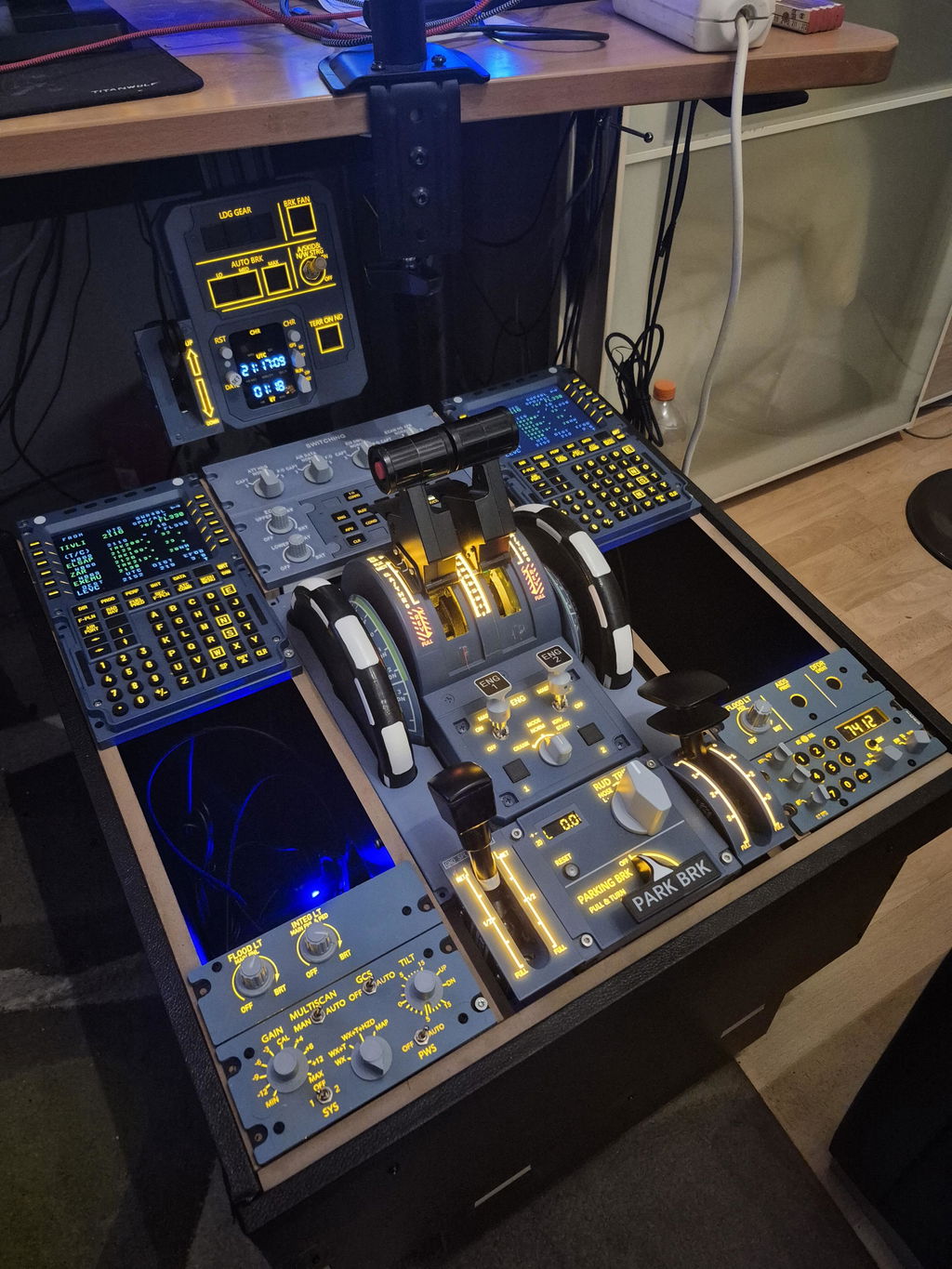
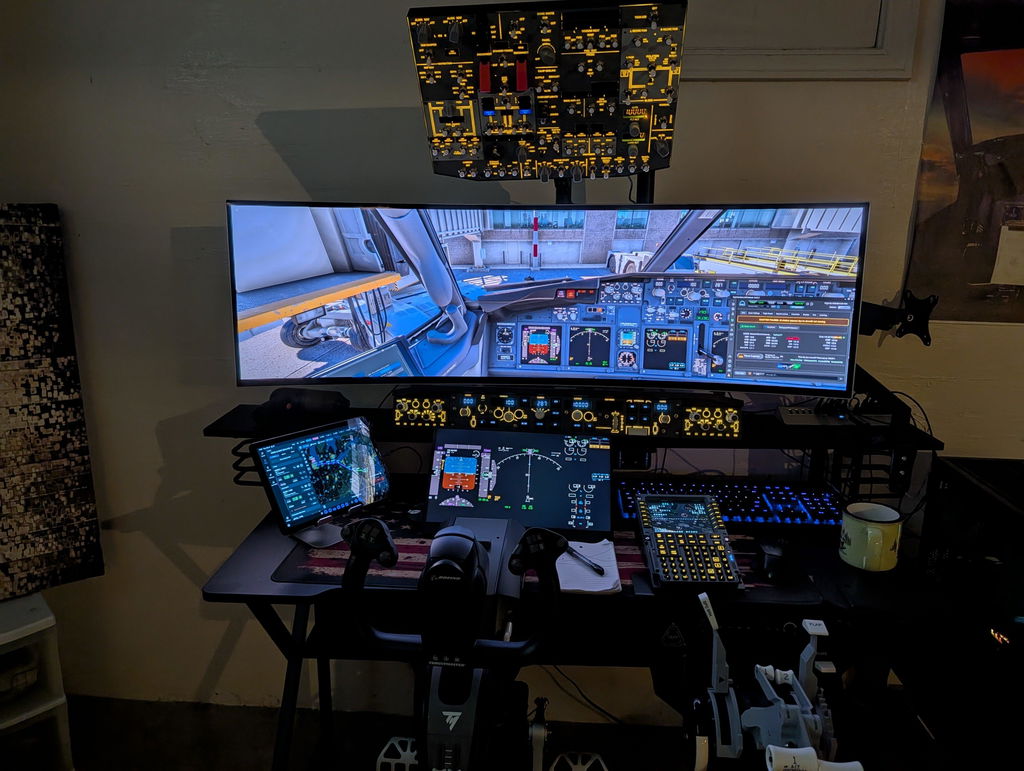
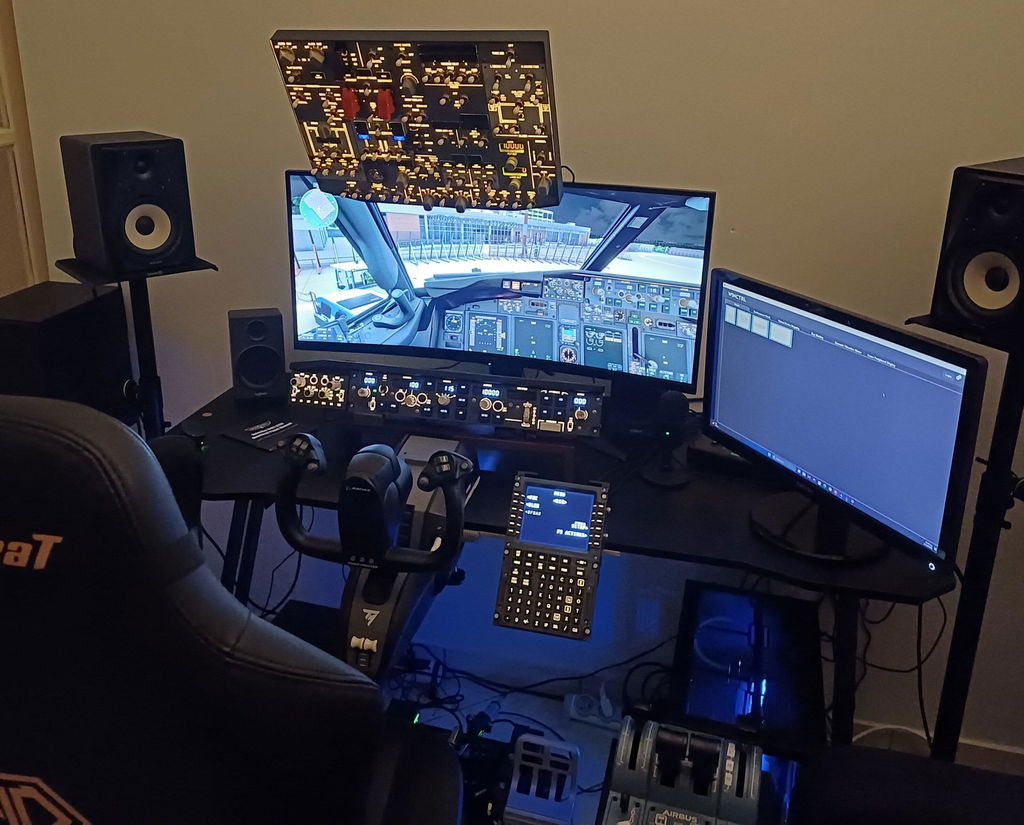
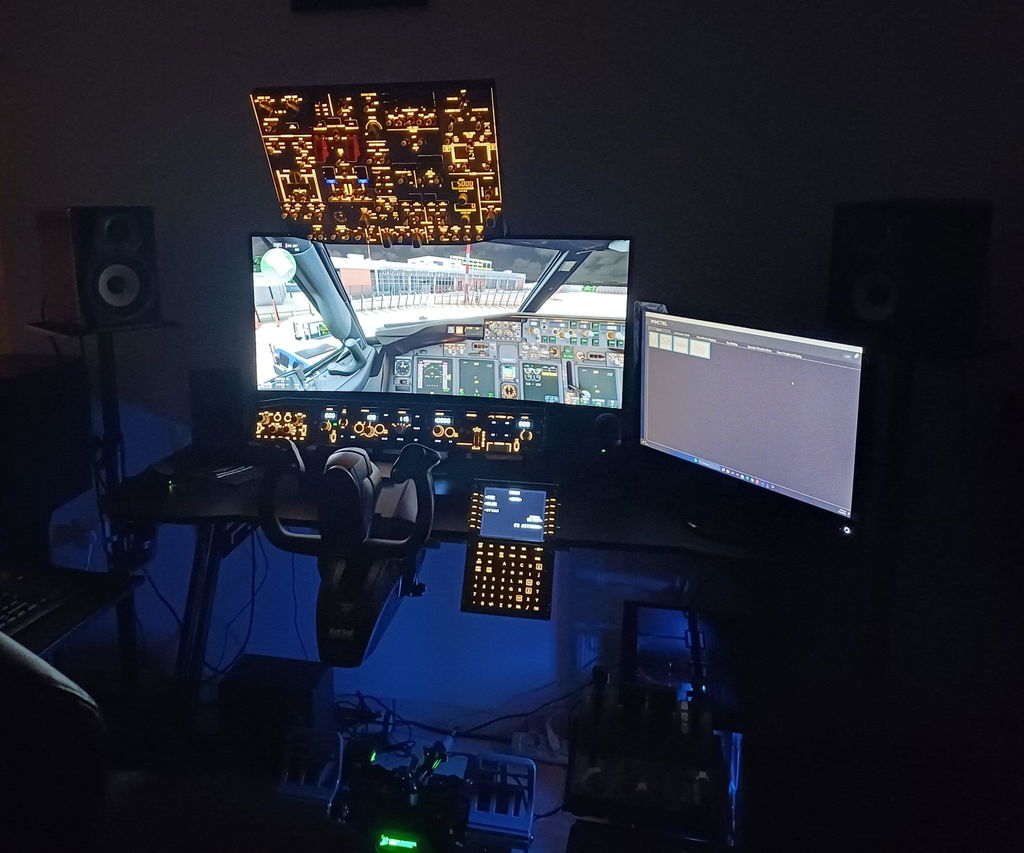
    Rowsfire overhead panel mounted on the adjustable stand, raised above the desk on a gas-spring arm

    Overhead panel stand · VESA 75 / 100

    Put your overhead panel above your screens.

    On a real flight deck the overhead panel sits above your head, not flat on the desk. This stand clamps to your desk and holds your Rowsfire B107, A107 Pro or A107 on a gas-spring arm, so you can set the height, reach and angle where your hand expects them.

    • Fits B107 · A107 Pro · A107
    • VESA 75 × 75 / 100 × 100
    • 35 mm steel column
    • Desk clamp or grommet
    • 360° rotation

    Made for your panel

    Fits every Rowsfire overhead.

    Nearly 9 in 10 stand orders include an overhead panel. Buying both? Add them together in one click; multi-item discounts apply automatically at checkout.

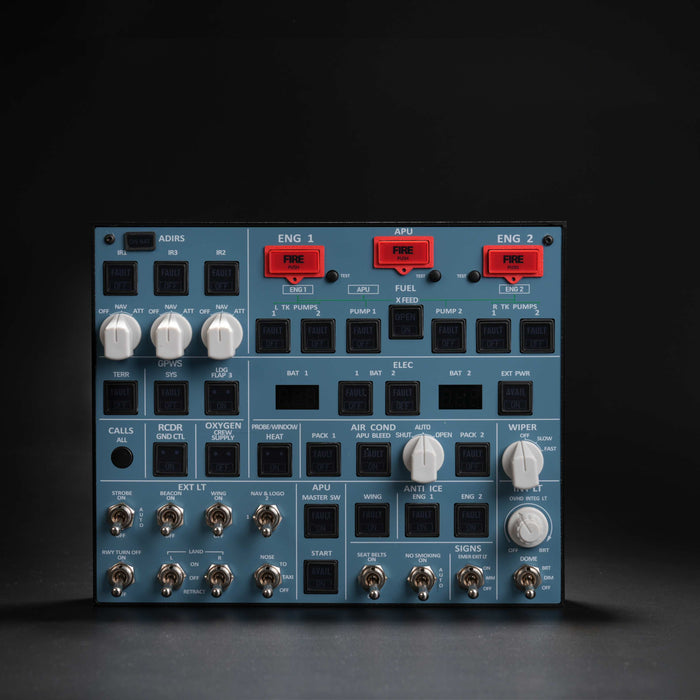
    Rowsfire B107 B737 Overhead-Panel

    B107 · Boeing 737 overhead

    2.8 kg · VESA 100 × 100 · M4 screws, max 10 mm

    Bought with the stand in 58% of stand orders

    Panel from $659.99 · multi-item discount at checkout

    View panel

    Rowsfire A107 Pro A320 Overhead-Panel

    A107 Pro · Airbus A320 overhead

    2.5 kg · VESA 100 × 100 · M4 screws, max 10 mm

    Ships without a stand, so most owners add one

    Panel from $499.99 · multi-item discount at checkout

    View panel

    Rowsfire A107 A320 Overhead-Panel aus Metall, hinterleuchtet, Plug & Play

    A107 · Airbus A320 overhead

    VESA 100 × 100 · M4 × 8 mm screws only

    Use 8 mm screws: longer ones can damage the mainboard

    Panel from $379.99 · multi-item discount at checkout

    View panel

    Which one do I need?

    Pick an arm, then a column.

    The arm sets how far forward the panel reaches. The column sets how high it can go. If you're not sure, start with the most popular setup.

    MOST POPULAR
    Dimensions of the 2-Section gas-spring arm

    2-Section arm

    Compact reach. The panel sits just above and slightly in front of your monitor. About half of B107 and A107 Pro owners choose this arm with the 75 cm column.

    Dimensions of the 3-Section gas-spring arm

    3-Section arm

    Extra segment for a longer reach. Pick it when you want the panel further forward, toward your head, or when the stand sits further back on a deep desk.

    Column height

    75 cmMost popular. Panel just above a single desk monitor. The 2-Section + 75 cm setup starts at $149.99.
    105 cmMore height for a larger or taller monitor setup.
    150 cmMaximum height, for tall multi-screen rigs or a stand placed on a low desk. Usually paired with the 3-Section arm.

    Need a different length or fixture? Contact us and we'll tell you what's possible.

    Want the panel at desk level, in front of you or beside your monitor? See the VESA Mount Arm →

    Built to stay put

    Steady at any height.

    Rowsfire stand with the gas-spring arm and VESA plate

    Steel column, rated for 25 kg

    • 35 mm steel column with a 1.5 mm wall, on a 5 mm-thick steel V-shaped base.
    • The column is rated for up to 25 kg. The B107 weighs 2.8 kg and the A107 Pro 2.5 kg.
    • Built to hold your panel steady while you flip switches.
    Gas-spring arm with the VESA mounting plate

    Gas-spring arm, 360° plate

    • Raise, lower and swing the panel by hand, then let it hold position.
    • The VESA plate rotates 360°, so you can tilt the panel toward you.
    • VESA 75 × 75 and 100 × 100 for panels and 17–30" monitors.
    Desk clamp fits desktops 10 to 90 mm thick, grommet mount 10 to 65 mm

    Clamp or grommet, your choice

    • Desk clamp for desktops 10–90 mm thick. No drilling needed.
    • Grommet mount for desktops 10–65 mm thick with a cable hole.
    • Both mounting kits come in the box.
    35 mm diameter steel support column with 1.5 mm wall

    Standard 35 mm pole

    • Three column heights: 75, 105 and 150 cm.
    • The standard 35 mm pole works with other clamps and accessories.
    • Want to add more later? Ask us which extra arms and brackets fit.

    Watch it work

    See the stand in action.

    Mounting Boeing & Airbus overheads · 44 s

    Three Rowsfire mounts compared · 57 s

    Installation

    Set up in five steps.

    All you need is a screwdriver.

    Pick a mount

    Clamp for desktops 10–90 mm thick, no drilling. Grommet for desktops 10–65 mm thick with a cable hole.

    Fix the base

    Fit the V-shaped base to the edge of the desk and tighten it firmly before adding any weight.

    Add the column and arm

    Insert the 35 mm column into the base, then slide the arm onto the column and lock it at the height you want.

    Attach the VESA plate

    Screw the plate to the back of your panel with M4 screws. B107 / A107 Pro: max 10 mm. A107: 8 mm only; longer screws can damage the mainboard.

    Mount and adjust

    Hang the panel on the arm, then set the reach and tilt. Route the USB cable along the arm.

    📄 Prefer pictures? Open the illustrated installation guide (PDF) →

    Specs

    The technical details.

    Arm2-Section or 3-Section gas-spring arm, 360° rotating VESA plate
    ColumnSteel, 35 mm diameter, 1.5 mm wall · 75 / 105 / 150 cm
    Base5 mm-thick steel V-shaped base
    VESA75 × 75 mm and 100 × 100 mm
    Load ratingColumn rated for up to 25 kg
    Desk fitClamp 10–90 mm · Grommet 10–65 mm
    FitsRowsfire B107 · A107 Pro · A107 · VESA monitors 17–30"
    Weight3 kg (3.5 kg packed)

    Package

    • Package size40 × 20 × 20 cm
    • Package weight3.5 kg
    • PackagingPrinted carton

    Clamp and grommet mounting kits are both included.

    Rowsfire adjustable stand dimensions: 75 cm column, desk clamp and base measurements

    Buy with confidence

    Backed by Rowsfire.

    🛡️

    1-Year Warranty

    Free replacement for hardware defects

    🚚

    Free Shipping

    Worldwide · duties & taxes included

    ↩️

    30-Day Returns

    Return & exchange support

    💬

    Setup Help

    Real people, fast replies

    Common questions

    Questions, answered.

    Will it fit my Rowsfire overhead panel?

    Yes. The B107, A107 Pro and A107 all use a VESA 100 × 100 mm mount, which the stand supports. It also takes VESA 75 × 75 mm panels and 17–30" monitors.

    Which arm and column should I choose?

    If you're not sure, choose the 2-Section arm with the 75 cm column. About half of B107 and A107 Pro owners pick this setup. Go for the 3-Section arm if you want the panel further forward, and a 105 or 150 cm column if you want it higher above larger or multiple screens. See Which one do I need?

    Is it strong enough for the B107?

    The column is rated for up to 25 kg. The B107 weighs 2.8 kg and the A107 Pro 2.5 kg. The B107 is the panel most often bought with this stand.

    Do I need to drill my desk?

    No. The desk clamp fits desktops 10–90 mm thick without drilling. If your desk has a cable hole, you can use the grommet mount instead (10–65 mm thick). Both are in the box.

    Which screws do I use for the panel?

    M4 screws. On the B107 and A107 Pro, use screws no longer than 10 mm. On the A107, use 8 mm screws only; longer ones can damage the mainboard inside.

    Does the A107 Pro come with a stand?

    No. The A107 Pro ships without a stand, so you'll need this one or another VESA 100 × 100 mount.

    Can I get a custom column length?

    Possibly. Contact us with the length or fixture you need and we'll let you know what we can do and how long it takes.

    How long does shipping take?

    Standard shipping is free and takes 14–30 business days. Express takes 5–13 business days for $29.99. Duties and taxes are included either way.

    What's your return and warranty policy?

    You get 30 days to return or exchange, and a 1-year warranty with free replacement for hardware defects.

    • 5 stars: 3 (50%)
    • 4 stars: 2 (33%)
    • 3 stars: 1 (17%)
    • 2 stars: 0 (0%)
    • 1 star: 0 (0%)
    D
    Demiurgus

    This thing is a beast. Overkill.

    Hi sir,Thank you very much for your great feedback!

    D
    Dirk Bovensiepen

    Wenn man nicht genug Platz hat für sein Homecockpit, ist das Rowsfire B107 ideal. Alle wichrigen Knöpfe sind hochwertig und es gibt einem das "Cockpi-Feeling". Der mitgelieferte Stander ist sehr stabil, es gibt nichts zu meckern.

    M
    Mike

    Good product, but would be better if it came with installation instructions.

    B
    Brook Chalmers

    Works great. Using it to hold the B107 and both work fantastically

    M
    Michael Newell

    Great versatility for mounting options

    W
    Wouter

    good and sturdy mount. only downside are the small allen screws. if tightened, these do not hold the mount firmly in place. Material of screws is too soft. Tightening it harder, breaks the allen nut, making the screw unuseable.
    An overhead panel can not be compared to a normal screen, it needs to take certain forces when pushing/holding buttons.
    -upgrade the small allen screws on the arme with a hard material.
    -consider a locking mechanism
    Otherwise great mount, but its needs to be suitable for flightsim use.

    b
    b107

    Having trouble attaching the overhead panel stand to my desk.

    Rowsfire

    Hello, sorry the stand installation is troubling you! Could you tell me exactly which part you’re stuck on and can’t secure properly? Please send photos of your desk and the stand mounting area. I’ll check the issue and guide you through installation.

    B
    B107

    Is it compatible with the new B107 panel?
    Can i attach it?
    What options do you recommend? two or three sections?

    Rowsfire

    yes 100×100mm VESA mounting holes. 2 or 2 is ok

    Lift your overhead off the desk.

    Free worldwide shipping · duties & tax included · 1-year warranty · 30-day returns

    Which one do I need?