Rowsfire Team | July 2026 | MSFS 2020, MSFS 2024, X Plane 12, Fenix, FBW, ToLiss, FSLabs | 8 min read
Most people build in the wrong order
For most flight sim enthusiasts, the first piece of hardware they buy is whatever catches their eye, maybe an overhead panel, maybe a pair of RMPs. It's exciting for a while, but sooner or later a problem shows up. It just sits there on the desk, disconnected from everything around it.
😩 Sound familiar?
🔌 Cables sprawling across the desk
📐 A panel sitting flat instead of angled like the real thing
🧩 Centre console panels stacked next to the keyboard with nowhere to go
You end up with flight sim hardware, not a cockpit.
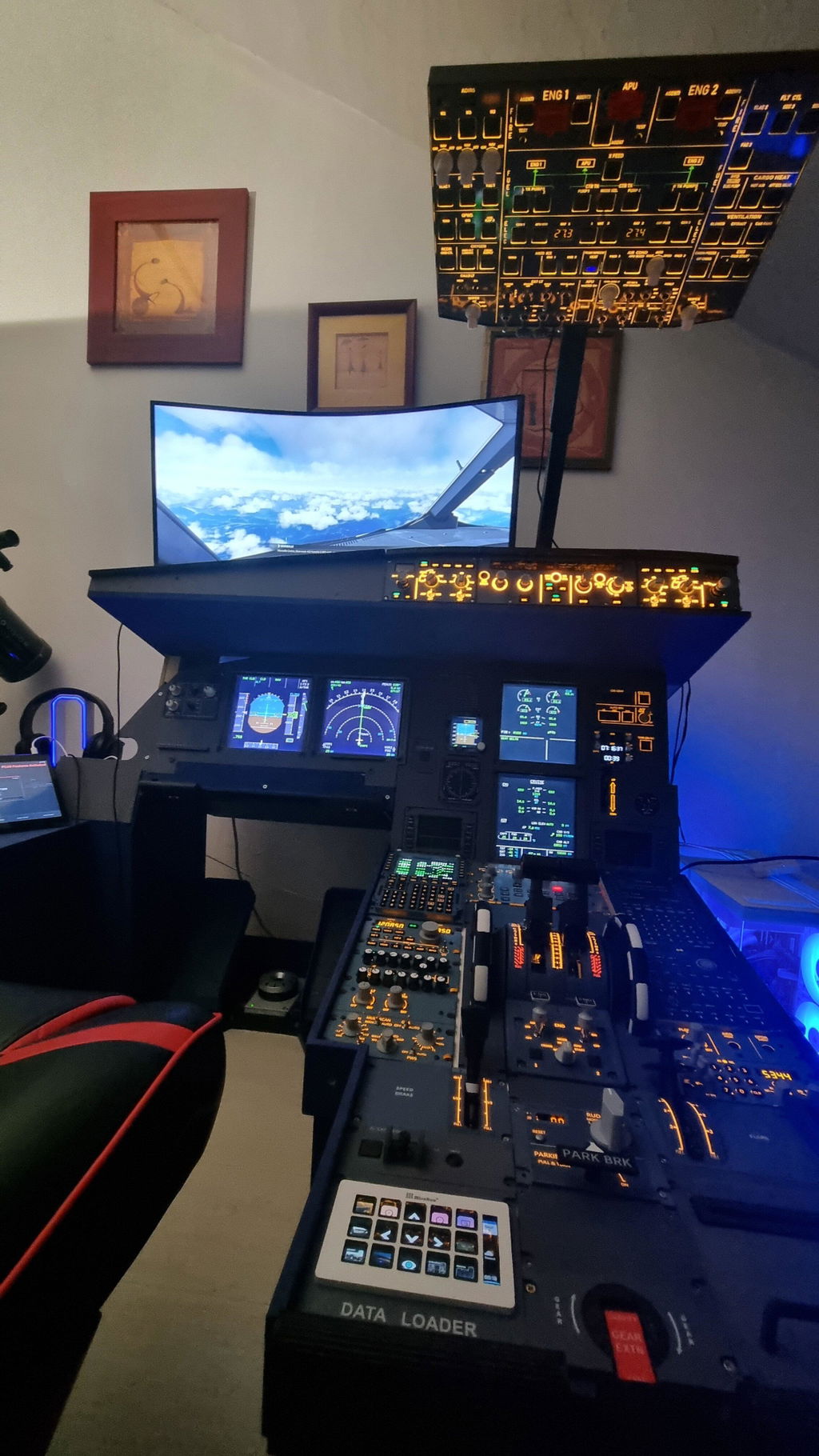
That's exactly why Rowsfire built the full cockpit concept. The idea isn't to sell you every panel at once, but to make sure that from your very first purchase, you're building toward a real, complete, expandable A320 cockpit layout. The overhead above, the centre console in the middle, the comms and nav panels on either side, every product is dimensioned, wired, and routed to fit together, not just to look good sitting alone.
Today we're covering the two most important pieces of that system: the newly upgraded control core, the A107 Pro overhead panel, and the piece that finally gives your centre console panels somewhere real to live, the A110P pedestal stand.


Why the cockpit matters more than the panel
A single panel can only take your immersion so far. What actually turns a home simulator from a toy into a training grade experience is the spatial relationship between systems, an architecture that is itself the product of decades of human factors engineering from Boeing and Airbus.
💡
Overhead
Electrical and fuel systems
🎛️
Centre Console
Comms, nav and lighting
📊
Main Panel
Attitude and alerts
The moment your hand reaches up to the overhead to switch on anti ice, you turn a real RMP encoder to tune a frequency, and your feet rest near a centre console with proper cable routing and a throttle mount, that's when the simulator finally starts to feel like training, not a game.
That's why Rowsfire designs the A series as an interlocking system, not a collection of standalone accessories. Panel dimensions match real aircraft proportions, the pedestal's cutouts are matched to fit each panel exactly, and cable routing is built into the back of every product.
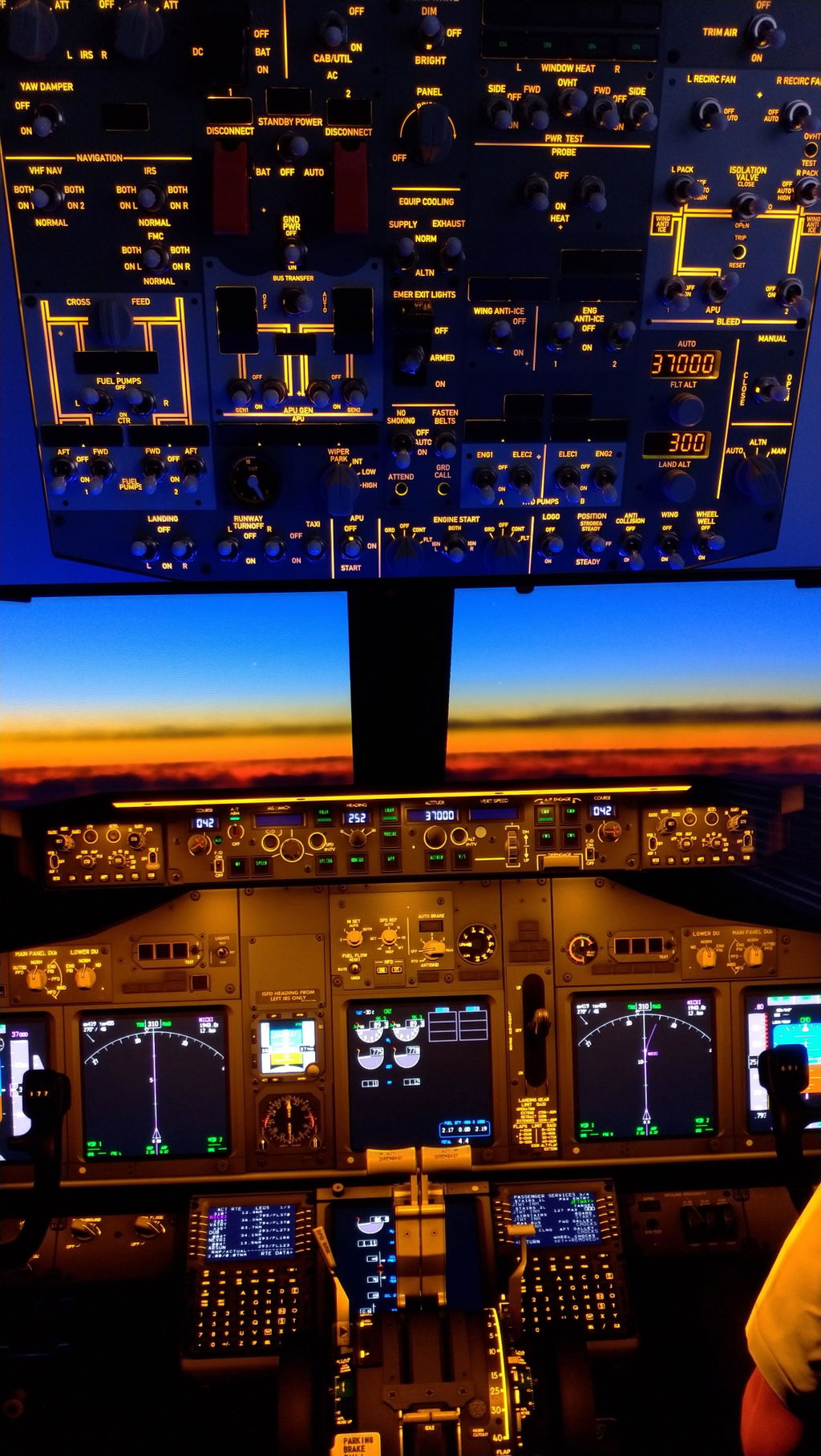
The headliner: A107 Pro overhead panel, the most complete A320 overhead yet
If the full cockpit concept is the blueprint, the A107 Pro overhead panel is the single heaviest piece on it. It isn't just a bigger A107, it's a ground up redesign built on an entirely new hardware platform.
What's actually new
🖥️
Bigger, more complete layout
Real aircraft key sizing across lighting, fuel, electrical, bleed air, hydraulics, anti ice, pressurization and fire detection.
⚡
All new V4.0 control board
SMT construction over the old V3.1, giving faster response and better long run stability on three to four hour sectors.
🔋
Dual power input
Primary USB A plus a new Type C 5V auxiliary input for extra redundancy in multi panel setups.
🔌
Two ways to connect
Plug and play with the RowsfireApp, or switch to MobiFlight for fully custom key mapping.
Specifications
⚡ Power tip
Plug into a rear USB port rather than a front port or keyboard pass through, or use a powered hub. Multi panel setups should also connect the Type C auxiliary input.
🧴 Care tip
Press the panel gently while turning the screw nuts to remove the protective film. Don't use screws longer than 10mm, they can damage the PCB.

Pre order pricing
FIRST 50 UNITS, SOLD OUT
$399.99
No longer available
CURRENT PRICE
$429.99
Save $70, tap to order
UNIT 101 AND BEYOND
$449.99
Save $50
💸 The site's usual code takes 10% off. Right now readers of this post can use code Lucas at checkout for 13% off instead, a bigger discount than the standard offer. It's only available for a limited time, so it's worth placing your order before it ends.
Regular price is $499.99. Shipping begins August 15th, fulfilled in order placement sequence.
A common question is what's actually different between the A107 Pro overhead panel and the regular A107. In short, the A107 is a compact, stable, excellent value entry level overhead. The A107 Pro is the most complete overhead panel in the A series, with key sizing closest to a real aircraft. It's not a strict full scale replica, but it's the closest a desktop format product gets.
The supporting act matters just as much: A110P pedestal
If you already own any combination of A111 (RMP/ACP), A112 (cabin lighting and weather radar), A113 (lighting, DFDR, and transponder), or A109 (attitude, ADIRS, EIS), there's one question left. Where do they actually go?
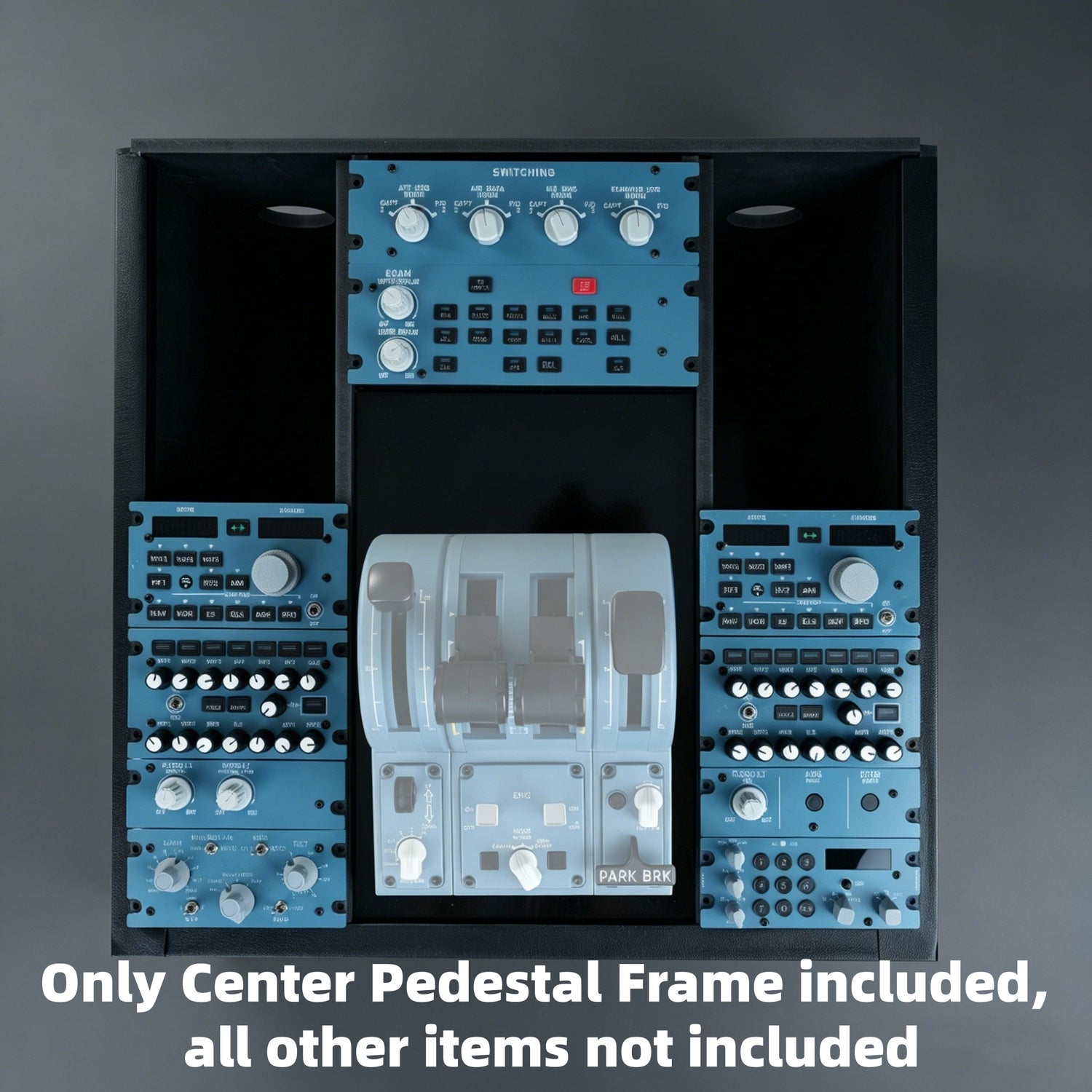
That's the entire point of the A110P pedestal stand, a dedicated centre console skeleton built for A series panels, letting everything sit at the correct real aircraft angle instead of lying flat on a desk.
The difference it makes
Materials and assembly: why PVC
The A110P uses high polymer PVC, and the reason is simple. It can be modified. High polymer PVC can be cut, drilled, and scored directly, something welded aluminum or steel simply can't do.
0
Tools required
5
Slot together pieces
15 to 25
Minutes to assemble
Specifications
⚠️ Heads up: the A110P is the frame only, no panels included. If you're starting from zero on panels, bundling usually saves more than buying piece by piece.
How to build the full cockpit, step by step
If you're planning an A320 home cockpit from scratch, here's a build order validated repeatedly by the community.
A107 Pro overhead panel
Get the systems management core standing first, it sets the tone for the entire upper cockpit.
A110P pedestal skeleton
Build the structure early, it's far more efficient than adding a frame after the fact.
A111 x2, A112, and A113, or A109
Slot in comms, nav, lighting, and transponder panels one by one.
Optional: throttle quadrant or VESA mount
The A110P's throttle slot and the A107 Pro's VESA interface let you expand further.
This isn't the only order that works, but building the structure first and adding function second tends to be far less painful than piecing things together as you go.
What the community is saying
"The kind of switch you can find with muscle memory, eyes closed, feeling for the crossbar next to the landing light switch."
On the real aircraft feel of the external light switch bar
A real world A320 instructor left feedback hoping for a future hydraulics panel to practice failures. Others have followed the A107 series since the original V3, specifically waiting for the Pro version to reach full production. Feedback like this shapes each A107 Pro iteration, the full cockpit concept keeps getting refined against how the community actually flies.
Join the community for free config files
📘
Rowsfire Facebook Group
3,000+ members, daily discussion, setup help, config sharing, and build showcases.
Join the group🎮
Rowsfire Discord Server
Free MobiFlight configs for Fenix, FBW, ToLiss, and PMDG, plus first access to pre order news.
Join DiscordStart building now
A107 Pro overhead panel, pre order now open
The earlier you order, the bigger the discount. Shipping begins August 15th.
Use code Lucas at checkout for 13% off, more than the site's usual 10%, for a limited time only.
Shop A107 Pro overhead panelA110P Pedestal Stand
In stock now, the missing piece for your existing panels. Use code Lucas for 13% off.
Shop A110PFree worldwide shipping, 30 day returns, 1 year warranty. Enter code Lucas at checkout for 13% off, don't miss this limited time offer.
Rowsfire, service@rowsfire.com, rowsfire.com
Airbus is a trademark of Airbus SE, which does not sponsor or endorse this product.