Rowsfire Blog · Flight Simulation Culture · July 2026 · 6 min read
Boeing 737 Cockpit Design Philosophy
The Boeing 737 has been flying since 1967, and its cockpit still looks, in many ways, like it belongs to that era. Walk into a 737 flight deck today and you'll find rows of physical switches, guarded toggles, and mechanical gauges sitting right alongside modern displays. That's not an oversight. It's a deliberate design philosophy Boeing has carried through every generation, from the Classic to the NG to the MAX.
Where some modern aircraft push almost everything into touchscreens and menus, Boeing kept the overhead panel dense with dedicated, single purpose switches. Electrical power, hydraulics, pressurization, anti-ice, fuel. Each system gets its own hardware, its own guard, its own tactile click. In a high workload moment, a pilot's hand should find the right switch by feel, not by scrolling through a screen.
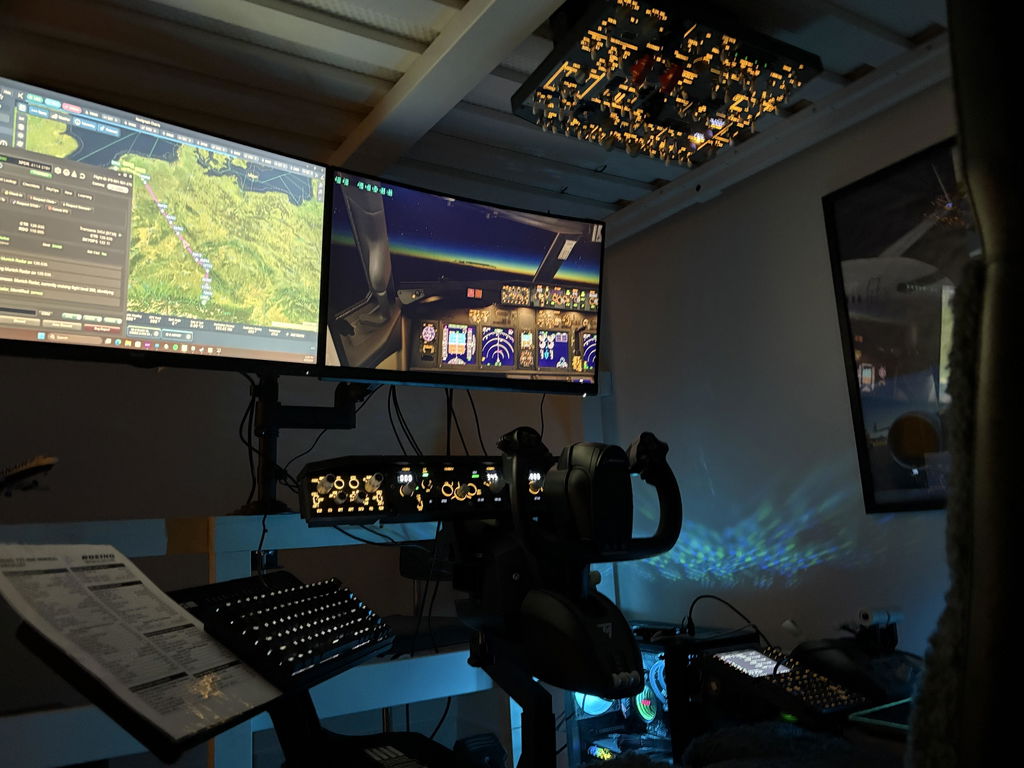
This is a big part of why the 737 remains one of the most beloved aircraft in flight simulation. It's not just nostalgia. It's that the cockpit itself rewards muscle memory and repetition in a way that's genuinely satisfying to learn, whether you're flying the real thing or a home simulator. Flight simulation is moving closer to the real cockpit experience, one switch, one panel, and one flow at a time.
From Virtual Cockpit to Home Cockpit
Most simmers start the same way. Keyboard, mouse, maybe a basic joystick. It works, and for a lot of pilots that's more than enough. But there's a moment a lot of 737 simmers describe when talking about why they upgraded.
Clicking a virtual switch never quite feels like flipping one. The workflow is the same on paper, battery on, standby power, generators, hydraulics, but the hand doesn't do anything. No resistance, no click, no guard to lift. The procedure becomes something you watch happen rather than something you do.
That gap is what pushes home cockpit builds forward. Not because virtual cockpits are bad, but because the 737's whole design philosophy is built around physical interaction, and a mouse simply can't replicate it.
Why Physical Controls Improve Flight Simulation
Flight instructors talk about muscle memory as much as procedure knowledge. Real pilots don't think through each switch during a normal flow. Their hands already know where to go. A mouse click breaks that entirely, every switch takes the same input no matter where it sits or what it does.
Physical hardware restores the difference between switches
A guarded switch feels different under your fingers than an open toggle. A rotary knob resists differently than a push button.
Your hands learn the panel the way a real pilot's do
Through repetition and feel, not through memorizing screen coordinates.
EFIS controls matter more than people expect
In the real aircraft, navigation display range, mode, and weather radar all run through a dedicated panel, separate from the display itself. A mouse popup removes that whole layer of the workflow.
Building a More Realistic Boeing 737 Simulator Setup
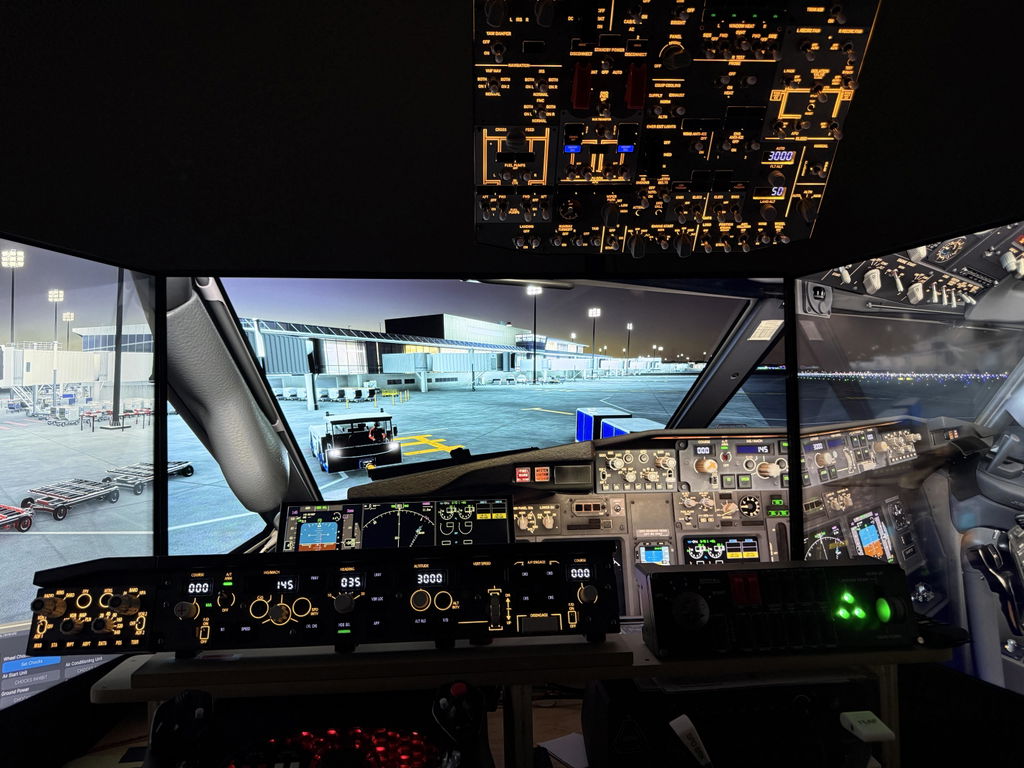
For a lot of home cockpit builders, the overhead panel is where the upgrade path starts. It's the most visually dense part of the 737 flight deck, and it's also where the electrical setup and engine start procedure actually live.

Rowsfire B107
Built around 737 overhead layout and switch logic, so the electrical setup flow, engine start sequence, and system checks follow the same hand movements a 737 pilot would actually use, across PMDG 737, the Zibo Mod, and iFly 737 MAX.
The other half of the workflow lives on the glareshield, where the EFIS control panel sits.

Rowsfire B101
Puts navigation display range and mode control back in a dedicated panel, so managing weather radar and flight information stays physical instead of a menu dug through mid approach.
That same philosophy carries over to Airbus cockpits as well, where the PFD, ND, ECAM and EWD live across separate displays that a pilot manages constantly during a flight.

Rowsfire A108
An all in one PFD, ND, ECAM and EWD panel for A320, A350 and A380 setups, built so the same instinct for physical, dedicated controls carries across to Airbus cockpits too.
Recommended Hardware Upgrade
Browse the full B-series lineup and enter discount code LUCAS at checkout for an extra 13% off.
Join the Conversation
📘
Rowsfire Facebook Group
3,000+ members sharing 737 and A320 home cockpit builds, tips, and progress photos.
Join the Group →🎮
Rowsfire Discord Server
Talk shop with other B737 and A320 simmers, and get notified as new hardware ships.
Join Discord →Rowsfire · service@rowsfire.com · rowsfire.com
Boeing and 737 are trademarks of The Boeing Company, which does not sponsor or endorse this content.