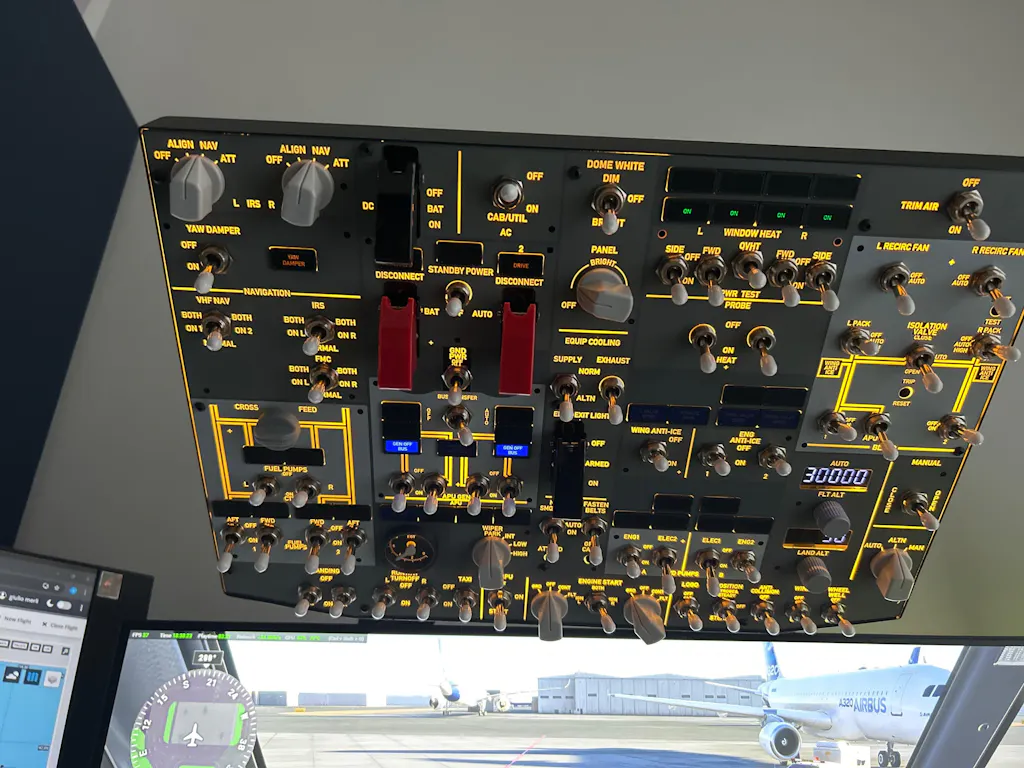
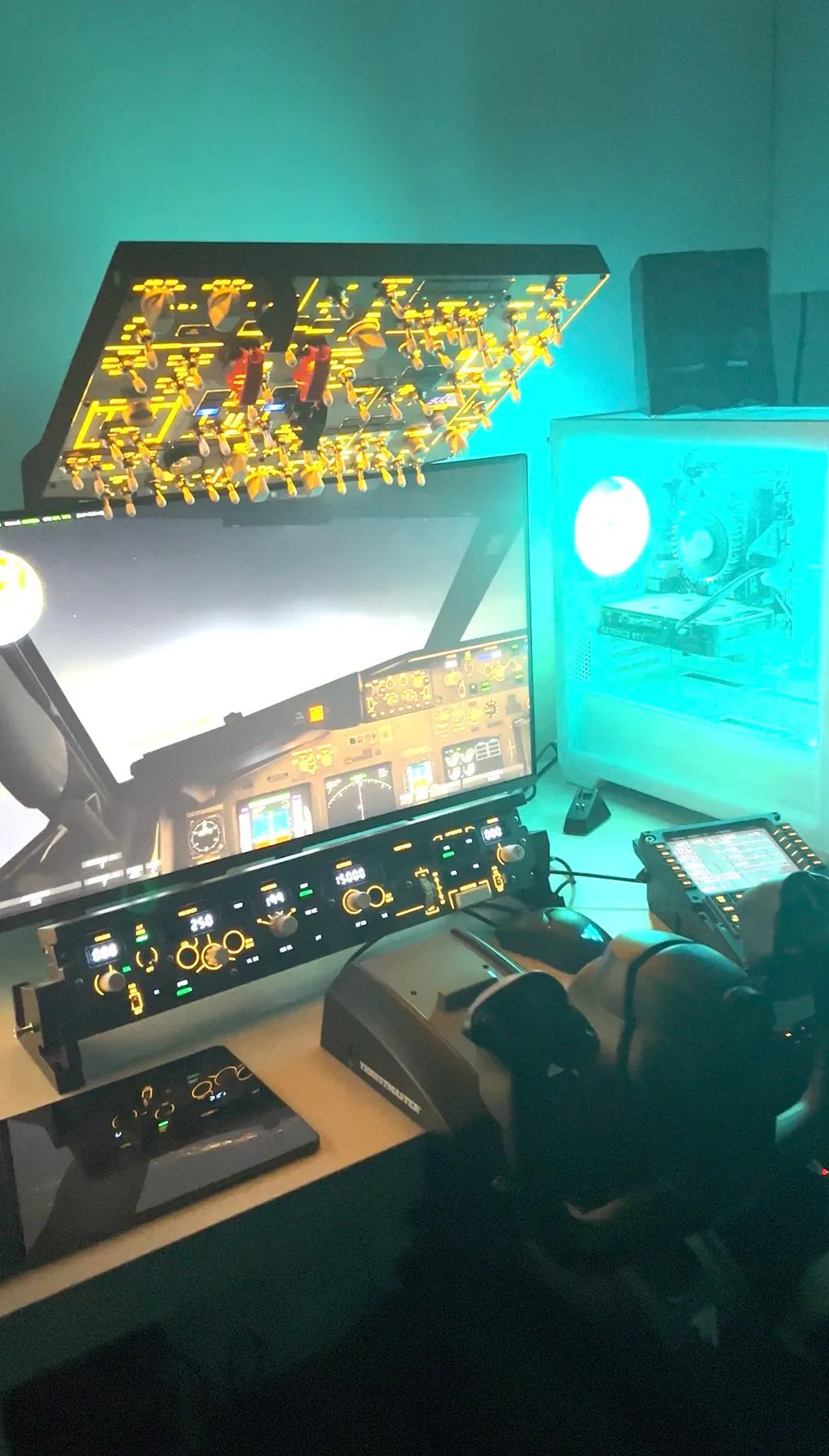
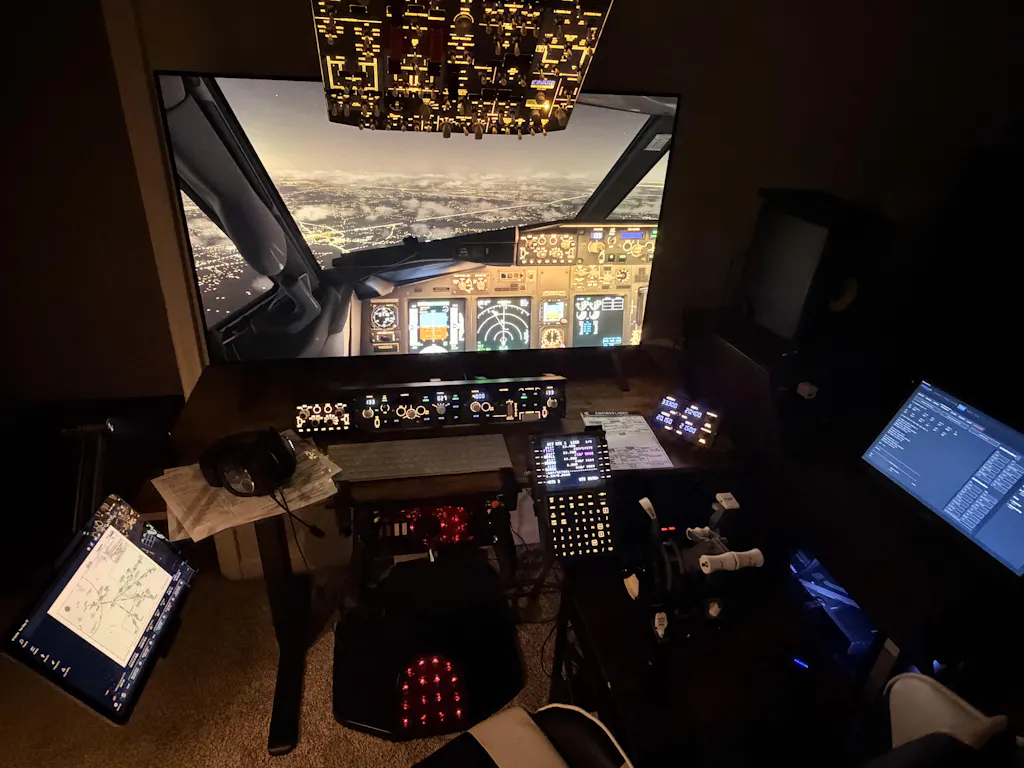
This might be the best-value Boeing 737 overhead panel for MSFS or X-Plane available right now.
If you fly the 737 in the sim, you know the overhead is not decoration. You use it from cold and dark through engine start all the way to shutdown. The moment you stop clicking with a mouse and start using physical switches, the airplane feels completely different. That's what the B107 is designed to deliver — and after multiple live stream sessions and extended testing with the PMDG 737-800 in MSFS, here's the complete picture.
First seen at FS Weekend in the Netherlands, the B107 immediately stood out for what it didn't try to be.
The B107 is not a full Boeing 737 overhead replica. It doesn't pretend to be. What it is, is a compact, practical, VESA-mountable overhead panel that covers every system you actually interact with during a 737 flight — and it does so in a form factor that real simmers with limited space can actually live with.
The packaging already signals a step up in quality — clean graphics, solid presentation, and a protective carry bag that's a first for Rowsfire. Inside: a QR instruction card, paper manual, USB-C cable, protective bag, flip switch caps, white switch caps with nuts, and the panel itself. The panel ships with protective film applied. Remove the film, install the switch caps and nuts — takes a few minutes — and what you're left with looks genuinely excellent.
"It does not feel like a rough prototype. It feels like something that actually belongs in a sim setup." — Independent reviewer, after unboxing
Build quality — where Rowsfire raised the bar
The panel layout feels right. The important controls are positioned where you expect them to be — and that matters when you're trying to build a natural 737 cockpit flow. The injection-moulded knobs are a clear upgrade over 3D-printed parts. The switch caps give it proper Boeing styling. The backlighting is excellent — that low-light cockpit atmosphere translates beautifully on stream.
At the back, standard VESA mount holes and a USB-C port. The VESA compatibility is a bigger deal than it might sound: it means the B107 can be swapped in and out of a shared overhead mount, making it practical for simmers who fly both Airbus and Boeing without dedicating a permanent space to either.
"For home simmers with limited space, this is a big deal. Not everyone has the space for a full cockpit shell." — Independent reviewer
The APU EGT gauge deserves specific mention. It moves in real time, it looks accurate, and it gives the panel life in a way that no static indicator can. That's one of those details that makes hardware feel connected to the aircraft — not just a box of switches.
In the sim — the immersion jump is real
Hardware only justifies itself when it changes how you fly. The B107 does.
01 · STARTUP FLOW
Cold and dark becomes physical
Battery on, APU start, fuel pumps — you stop hunting with the mouse and start building muscle memory. The rhythm of the whole flight changes. Startup feels natural, procedural, and connected.
02 · BACKLIGHTING
Cockpit atmosphere on camera
Once lit up, the panel looks excellent — both in person and on stream. Low-light cockpit feel that actually looks the part during live broadcasts and recording sessions.
03 · SWITCH FEEL
Every switch has tactile feedback
The switches feel good and respond with clear physical confirmation. Not soft or vague — each position registers with the kind of tactile confidence that makes procedure flows satisfying to execute.
04 · APU EGT GAUGE
The detail that brings it alive
The animated EGT gauge moves in real time during APU start — climbing as the APU spools, falling as it settles. It's the kind of detail that makes the panel feel like an instrument, not a prop.
05 · VESA + COMPACT FORMAT
Practical for real-world setups
Standard VESA holes mean it mounts to any compatible arm or stand — including custom 3D-printed adapters for quick panel swaps. No permanent rebuild needed when switching aircraft types.
06 · STREAM PERFORMANCE
Stable across multiple sessions
Tested across multiple live streams with no disconnections or unexpected behaviour. Once configured with MobiFlight for PMDG, the panel ran without incident session after session.
"The immersion jump is huge. You stop hunting around with the mouse and start building muscle memory. That changes the rhythm of the whole flight." — Independent reviewer, after multiple stream sessions
Software — MobiFlight is the recommended path
The hardware delivers. The included software, on version one, needed a workaround.
The included Rowsfire App, at the time of testing, had some instability with PMDG. The solution — switching to the MobiFlight profile for PMDG 737-800 — worked excellently. Once on MobiFlight, controls behaved correctly, workflow made sense, and the entire experience became smooth and reliable.
Setup recommendation If you're buying the B107 for PMDG 737 in MSFS, use the MobiFlight profile. The experience there is very positive. The Rowsfire App continues to be updated and improved — check the latest version before setup.
Platform / Add-on
Status
Notes
PMDG 737-800 (MSFS)
Excellent
MobiFlight profile — smooth and reliable
MSFS 2020 / 2024
Confirmed
Full support
X-Plane 12 (Zibo)
Supported
MobiFlight compatible
iFly 737 MAX 8
Improving
Profile in development — check latest Rowsfire App release
Rowsfire App (native)
Updating
Actively improved — newer versions more stable
Version one — honest notes
A thorough review means noting where version one shows its seams. None of these are deal-breakers — but they're worth knowing.
MINOR
Brightness knob feel — The panel brightness rotary encoder spins freely without a physical end-stop, which can feel unexpected at first. This is by design — it's a rotary encoder rather than a potentiometer, required for PMDG event compatibility. The function works correctly in-sim; the feel is different from a traditional knob.
FIXED IN PRODUCTION
Left probe heat switch (early units only) — Some early-batch units had a grounding issue affecting the left probe heat switch. This has been identified, fully resolved, and corrected in all current production units. If you received an early unit and are affected, contact service@rowsfire.com.
FUTURE UPGRADE
Engine start switches — Currently standard toggle switches. Solenoid auto-return switches (which spring back to centre on release, as in the real aircraft) would add a meaningful layer of realism. This is a noted area for a future hardware revision.
MINOR
Wiper switch — FO side only — The wiper selector currently triggers the First Officer side only. A firmware update to allow user-configurable side assignment is in development and will be delivered via the Rowsfire App.
Context on version one Every item above is either already fixed in current production, addressable via firmware update, or a known roadmap item. The reviewer's overall conclusion after documenting all of these: "After multiple streams, would I actually keep using it? Absolutely."
The verdict
INDEPENDENT REVIEWER VERDICT · ROWSFIRE B107 · VERSION 1
The B107 is not flawless as a first version — the brightness knob feel, the early board issue, and the software learning curve are all real. But the core experience is strong: premium build quality, excellent backlighting, great switch feel, an animated EGT gauge that genuinely adds life to the panel, and an immersion jump that changes how 737 cold-and-dark startups feel.
For the price, it delivers more than expected. And for PMDG 737 pilots running MSFS who want a compact Boeing overhead without committing to a full cockpit shell, it is — as the reviewer put it — "absolutely worth looking at."
"If Rowsfire keeps improving the software, fixes the version one hardware details, and expands aircraft support, this could become an even stronger option very quickly." — Independent reviewer conclusion
Get the B107 — exclusive discount
EXCLUSIVE DISCOUNT CODE · ROWSFIRE12
ROWSFIRE12→ enter at checkout
$580.80
$659.99
SAVE $79.19
Free worldwide shipping · 1-year warranty · 30-day return & exchange · Current production includes all hardware fixes
Enter ROWSFIRE12 in the discount field at checkout · Saving applied instantly
Questions before you buy? Join 3,000+ B737 and Airbus sim pilots in the Rowsfire Facebook group and Discord server — both have dedicated B737 channels with MobiFlight profiles, setup guides, and pilots running the same hardware who can answer from direct experience.
Out of the box the board looks the part. Installation of knobs and covers took some time but it is all fun and makes you get up and close and personal with your new shiny board.
Software installation with the Rows fire app was easy once you know what you are doing but big disappointment the app only works with PMDG 737-800..very specific..I have all of PMDG 737, but no luck with the 600, 700, or 900. Not happy.
so on to Mobiflight and again more learning curves with that one if you have not used it before. But alas onse up and running, low and behold all PMDG 737 versions work like a charm. Have not tried the pmdg 777 yet.
I have had no chance so far to try it in a normal flight, I know people have complained about the Panel light knob just goes round and round and yes it does but it also dims the light just fine.
Do I reccommend? yes I do if you dont mind spend some hard earned cash.
I love my B107. I would give it 5 stars if there were not any problems. Right of the box the panel display knob spins 360 degrees with little if no adjustment at all. The background illumination is very dim or even sometimes it is normal. One of the first things I do once Zibo has loaded is to max out the display in the sim. I then load the Rowsfire app for the B107. In your video of the EGT the needle goes up to 8 which match the sim. On my board the gauge only goes up to 6 and almost returns to zero. I have tried many times calibrate through the Rowsfire app, but I have now learned now to live with it and just watch the gauge in the sim. Overall quality of the build is excellent. I cannot believe how heavy the board is. It is just the petty things that drive me crazy and for the price of the board I would think it would not have these issues. Whomever performed QC did not know what they were supposed to check or the boards would have never been shipped. Might seem trivial to Rowsfire but it is a major source of concern for anyone who bought the B107.
Installation was a hurdle. Could not get rowsfire app to work so had to use mobiflight. No smoking hasn’t worked for me but I don’t care for it. Outside of that, this elevated my flight sim experience to FL390. It has been really fun and immersive. For a launch product, I feel I got great quality especially for that price.
Absolutely fantastic works great really enjoying it. Hope Rowsfire make more Boeing B737 stuff like radio and transponder units like they do for the airbus