



I have been involved in flight simulation for more than forty years, beginning with the earliest versions of Microsoft Flight Simulator in the 1980s. Back then the simulator was little more than simple moving lines and basic instrument indications on a monochrome screen — or later, on very expensive early color monitors. Yet at that stage it already represented the peak of what personal computing could achieve in aviation.
In those early years I even used flight simulators as a supporting tool for training student pilots. The systems were extremely limited by today's standards, but simply watching how aircraft instruments responded on a screen was already valuable for understanding basic flight principles. The most advanced hardware available was a joystick — and when Microsoft introduced the SideWinder Force Feedback Pro, many of us genuinely believed flight simulation had reached its technological ceiling.
Of course, that assumption proved completely wrong. Flight simulation kept evolving far beyond what we imagined. Today, with Microsoft Flight Simulator 2024 and X-Plane 12, we have an astonishing level of realism in visuals, flight dynamics, system depth and hardware integration — and user expectations have risen just as sharply. It is in this context that I want to share my experience with the Rowsfire A320 A107 and, in particular, the Boeing 737 overhead panel — the Rowsfire B107.
Quick verdict
I approached the B107 with real skepticism — a ~€600 consumer overhead didn't sound like a serious tool. It proved me wrong. Paired with the PMDG 737, the Rowsfire B107 is a complete, reliable panel that restored genuine procedural rhythm to my flying. After years away from the airline flight deck, the physical overhead reactivated cockpit muscle memory in a way software alone never could.
First Impressions of the Rowsfire B107
As a real-world pilot, I was initially skeptical when I first saw the Rowsfire Airbus A320 A107 overhead panel offered at around 350 euros. My first assumption was that this would be a simple consumer-grade product with limited practical value. After using it, however, I was surprised by its functionality, design quality and overall reliability.
Following that experience, I decided to order the Boeing 737 overhead panel, the B107. At around 600 euros — and with a delivery time of roughly one month due to ongoing production — I expected a similar consumer-level experience. That expectation was again proven wrong.
The B107 turned out to be a very complete and highly functional device. The build quality is solid and operation is reliable without major issues. In practical use, it performs far better than I would normally expect in this price range.

Using the B107 With the PMDG 737: Real Simulation Workflow
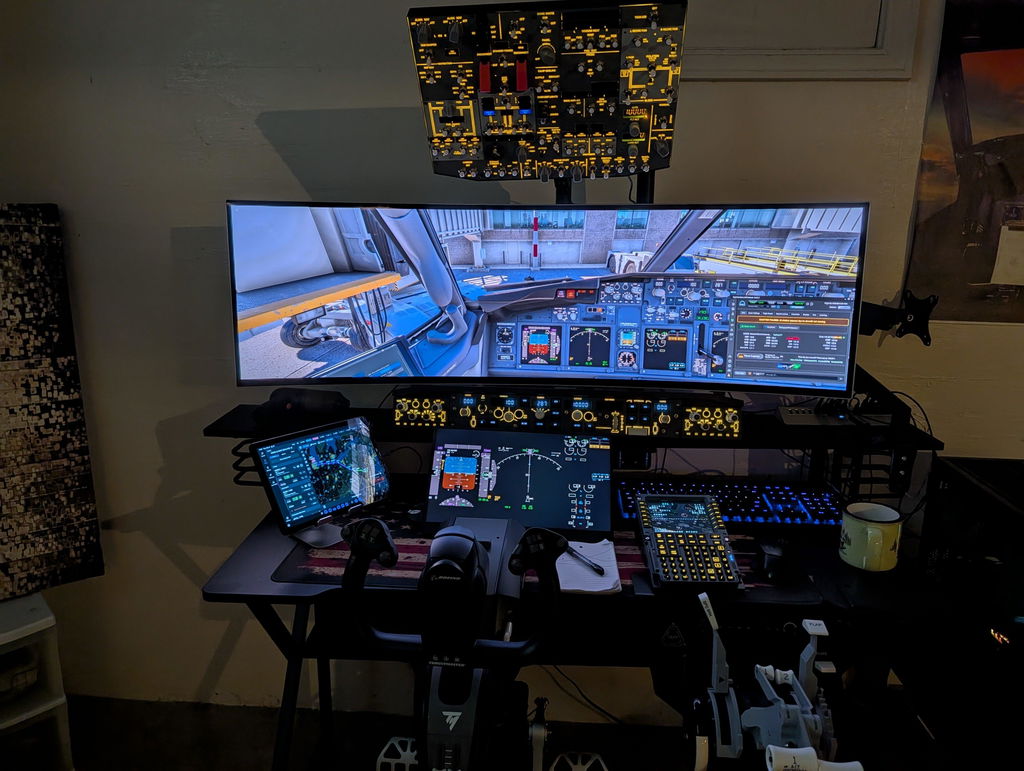
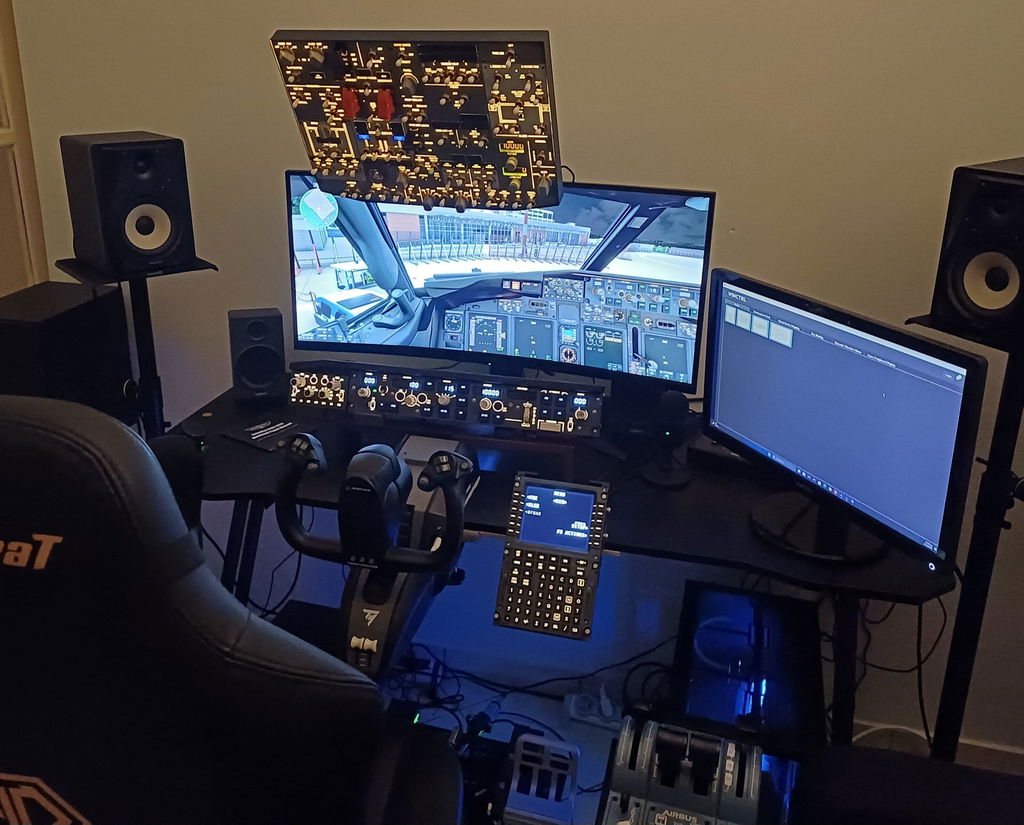
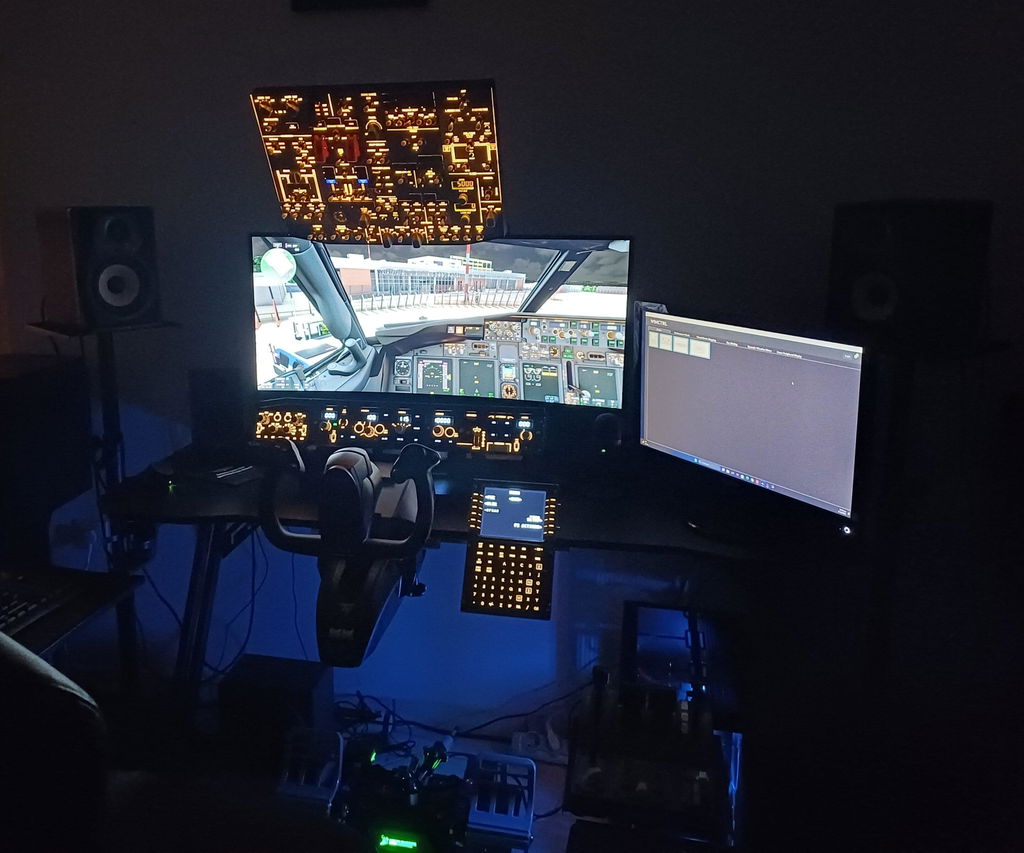
Both the A107 and B107 operate exceptionally well with the Fenix Airbus A320 and the PMDG Boeing 737. In my own case, I primarily use the B107 with the PMDG 737.
What impressed me most is not only the functionality itself, but the way it supports real procedural flying. The overhead panel structure lets me follow standard cockpit workflow far more naturally than mouse-and-keyboard interaction. During cold-and-dark startup, system configuration and electrical management, the physical interaction with the panel creates a continuous procedural rhythm.
More importantly, after many years away from active airline flying, I noticed these devices helped reactivate my own muscle memory and cockpit workflow habits. Many procedures did not need to be relearned — they were simply reactivated through physical interaction. This effect is difficult to achieve with software alone.

Comparing the Rowsfire A107 and B107
Although I am not a Boeing 737 pilot in real life, I also purchased the A320 A107, and I can say both products share a consistent design philosophy.
The A107 is more aligned with Airbus system logic, while the B107 reflects the clearer structural separation of Boeing systems. Yet both follow the same underlying approach: they focus on procedural operation rather than simply providing switch functionality.
This is an important distinction. Many products in this category focus on appearance or basic input mapping. Rowsfire, in contrast, seems to emphasize workflow structure and operational logic. Both units integrate well with high-end simulation software — particularly the Fenix A320 and PMDG 737 — without major compatibility issues in my experience.

Overall Impression of Rowsfire
From my perspective as a long-time flight simulation user and instructor, I would describe Rowsfire as a brand that focuses on structured cockpit simulation rather than purely decorative hardware.
The B107 is not an aviation-certified training device, and it does not attempt to position itself as such. But within the scope of home simulation and procedural practice, it occupies a very meaningful middle ground. It provides a physical structure that lets cockpit procedures be executed in a realistic sequence — something software alone cannot fully replicate.

Conclusion: Reconnecting Procedure With Physical Interaction
Flight simulation has evolved from simple visual representation in the 1980s to highly complex system simulation today. Software has reached a remarkable level of realism, but hardware has often lagged behind.
In this context, the Rowsfire B107 stands out not because it replaces real cockpit equipment, but because it restores a sense of procedural interaction within a home simulation environment. For me personally, it is not simply an accessory — it is a tool that reconnects procedural memory with physical interaction. And that, in modern flight simulation, is already a significant achievement.
Rowsfire B107 — Reviewer FAQ
Is the Rowsfire B107 worth it for PMDG 737 simmers?
Does the B107 work with MSFS 2024 and X-Plane 12?
What's the difference between the Rowsfire A107 and B107?
Is the B107 an aviation-certified training device?
See the Rowsfire B107 B737 Overhead Panel
For full product details, specs and compatibility, visit the B107 product page.
View the Rowsfire B107 →💳 Order now and pay via PayPal to use installment payments — plus get a 12% discount with code paypal12.


1 commentaire
FGHJKL;