


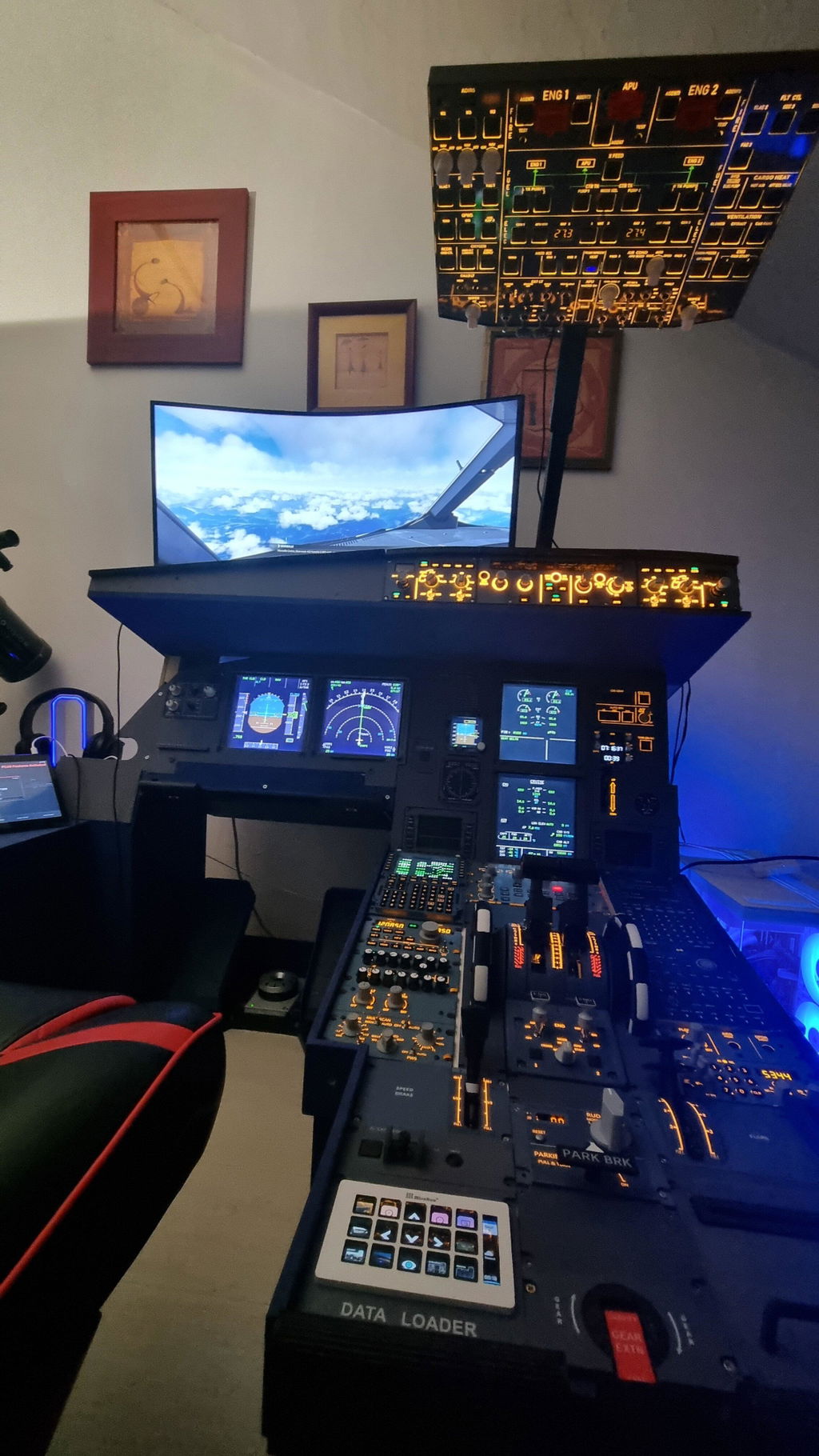
For Boeing 737 flight simulation enthusiasts, a high-fidelity, fully functional overhead panel is one of the best upgrades you can make for immersion. This is a full in-depth review of the Rowsfire B107 Boeing 737 Overhead Panel — covering software compatibility rules, common troubleshooting, build quality, real flight testing and an exclusive discount code. It's a completely honest, non-sponsored review with no overhyped marketing.
This test is based on MSFS 2020 / MSFS 2024 with the PMDG 737-600, 737-700 and 737-800. All three variants were fully tested and confirmed working with the two official supporting applications. Below I solve the most common issues users face — connection failures, dead LED displays, reversed switches and model-incompatibility problems.
Quick verdict
The Rowsfire B107 is a cost-effective, professional-grade Boeing 737 overhead with solid build quality and stable core functions. The key to a flawless setup is its dual-software rule: use MobiFlight for the PMDG 737-600/700, and the official Rowsfire App for the 737-800. Get that right (plus enable FSUIPC) and everything works. For dedicated 737 simmers, it's a worthwhile upgrade.
1. Unboxing & Initial Setup: Live-Stream Issues Fixed
I previously live-streamed the full unboxing of the B107 panel on Twitch. During the stream I hit minor connection errors — all fully resolved the next day. Every issue was software- and configuration-related, not a hardware defect:
- After reinstalling Windows, the FSUIPC module was not properly configured
- Faulty SimConnect and WSIM services caused simulator disconnection
I'm currently using the PMDG 737 suite for MSFS 2020 (I don't yet own the 2024 license), so all tests here are stable and valid for MSFS 2020. I'll release an updated guide once I upgrade to the 2024 PMDG package.
2. The Most Important Rule: Dual-Software Compatibility (Must Read)
Most new users get this wrong: the Rowsfire B107 does not use one single software. Different Boeing 737 variants require different software platforms to work correctly.
2.1 Compatibility chart
| PMDG aircraft | Use this software | Result |
|---|---|---|
| 737-600 / 737-700 (MSFS 2020) | MobiFlight | ✅ Full functionality, highly stable |
| 737-800 | Official Rowsfire App | ✅ Perfect compatibility, complete features |
| 737-800 + MobiFlight | — (not recommended) | ❌ Severe missing functions, not usable |
2.2 Verified test results
- MobiFlight + 737-600 / 737-700: full functionality, highly stable
- Rowsfire App + 737-800: perfect compatibility, complete features
- MobiFlight + 737-800: severe missing functions, not usable
2.3 Why MobiFlight doesn't support the 737-800
This limitation is not a Rowsfire hardware issue — it's purely a limitation within the MobiFlight plugin. PMDG doesn't fully release all Lvar variables and control codes for every variant. Currently, MobiFlight only maintains full official support for three aircraft: the Boeing 737-700, Boeing 777-300ER and DC-6.
Although MobiFlight lists the 737-800 in its menu, it only contains parameter codes for MSFS 2024, which are incompatible with the widely used MSFS 2020 PMDG version. The 737-600 only supports fuel cut-off functions and can't be used for full operation. In short, MobiFlight hasn't yet completed the database for the 737-800/900 — users must wait for future plugin updates. Rowsfire has filled this gap by officially supporting the most popular variant, the 737-800.
Official product descriptions on the Rowsfire website have been updated to cover full compatibility for the PMDG 737-600, 737-700 and 737-800.
3. Firmware & Project Settings: Beginner Guide
3.1 Firmware selection (critical)
- MobiFlight workflow: flash the MobiFlight firmware
- Rowsfire App workflow: flash the official Rowsfire firmware
The wrong firmware will make the panel display only "Compatible Mode" with partial functions disabled.
3.2 Mandatory project setting (fix dead displays)
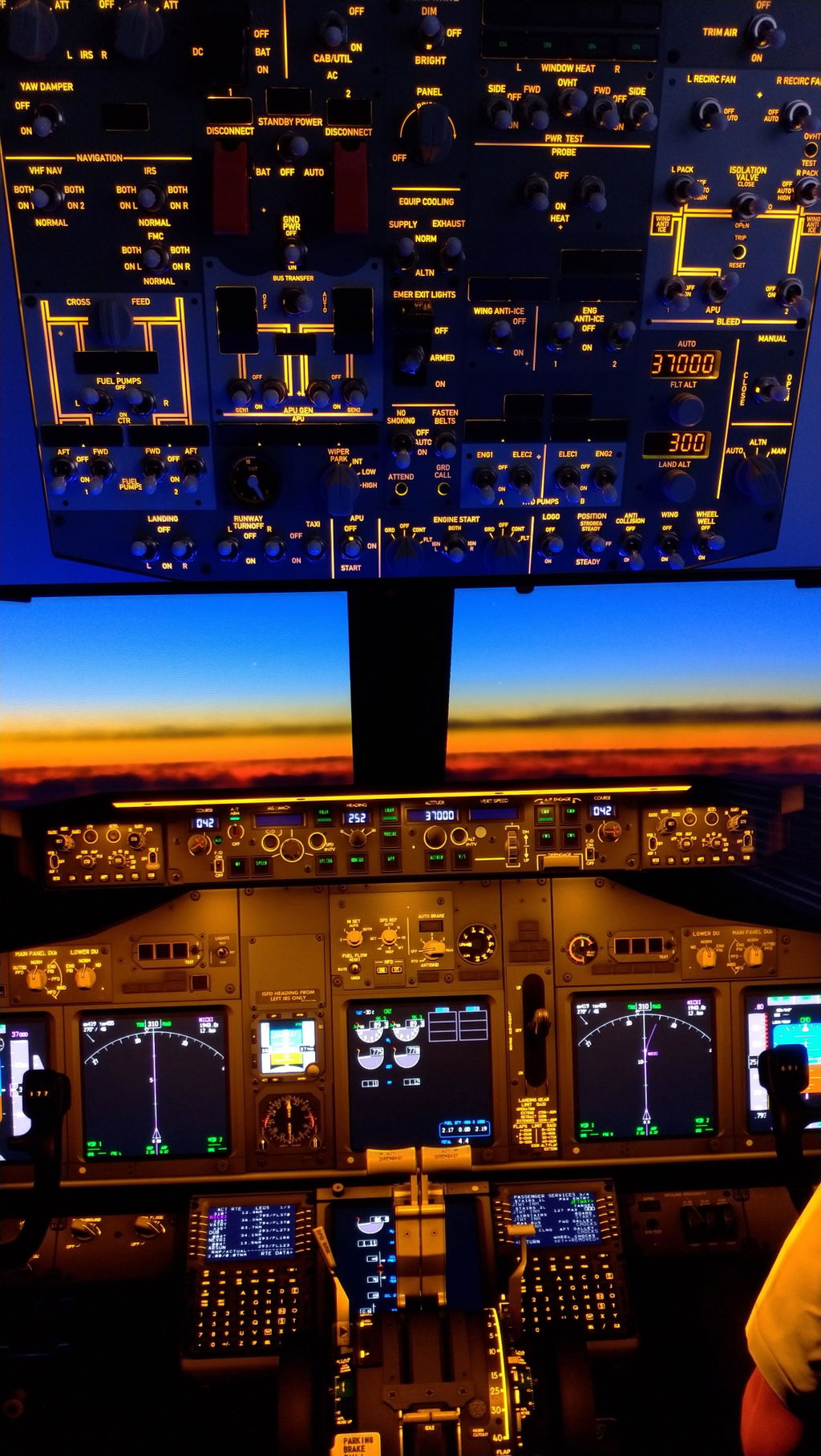
If your altitude and landing-altitude LED screens don't light up, there's only one reason: FSUIPC is not enabled in your project settings. All digital display readings on the overhead panel rely on FSUIPC offset data — always enable FSUIPC when creating a new project, or the display system won't respond.
4. Hardware Build Quality: Pros & Cons
Advantages
- Premium texture: all knobs are epoxy resin instead of low-quality 3D-printed parts, with smooth damping and realistic tactile feedback
- Advanced circuit design: multiplexer expansion modules expand hundreds of switch, light and display functions through a single USB connection
- Reliable synchronization: the latest MobiFlight version improves state detection — switches auto-sync with simulator status after restarting the software
- Full feature set: APU start sequence, EGT display, anti-ice, probe heat, exterior lights, IRS alignment, ground call and attendant call all work perfectly
Minor drawbacks & suggestions
- The unit is heavy with a 35 mm depth — for VESA mounting, use spacer adapter plates to avoid piercing the internal PCB with screws
- A small number of switch-logic reversals on the 737-800 are being optimized via software updates (not a hardware failure)
- No dedicated indicator lights for door status or equipment warnings — a minor function trade-off
- Engine-start knobs don't feature solenoid auto-reset (standard for this price range) — reset manually after the in-game ignition sound
- Backlight adjustment uses an encoder rather than a potentiometer, which could be upgraded for smoother fine-tuning
5. Real Cold-and-Dark Startup Test
Test scenario: MSFS 2020 + PMDG 737-700, British Airways Speedbird, Gate 216, London Heathrow, cold-and-dark state. The entire workflow runs smoothly with zero lag:
- Ground power, battery and bus-transfer switches respond instantly
- APU startup fully replicates real Boeing logic — low-pressure indicator and EGT gauge rise and fall accurately in sync with the sim
- ALT and Decision Height encoders work smoothly with real-time screen updates
- Engine-start procedures behave correctly (reset the knob after the ignition click)
- Anti-collision lights, navigation lights, wipers, anti-ice and bleed valves all function flawlessly
This panel completely eliminates the disconnected feeling of mouse-and-keyboard operation, bringing massive immersion for daily simulation training and casual flights.

Exclusive Reviewer Discount
Thanks to Rowsfire for an exclusive reviewer discount on the B107 overhead panel. Use this code at checkout to save $120 USD:
The code is long-term valid and can be used with the official link for an instant price reduction.
Get the Rowsfire B107 →7. Verdict: Is It Worth Buying?
As a cost-effective, professional Boeing 737 simulation peripheral, the Rowsfire B107 delivers excellent overall performance — solid build quality, high visual fidelity and stable core functions. The dual-software solution fully covers the PMDG 737-600, 737-700 and 737-800, fitting daily flight training and entertainment use perfectly.
All current minor imperfections are software-level optimizations that will keep improving through official firmware and app updates — not hardware flaws. For dedicated Boeing 737 simmer fans, this is absolutely a worthwhile upgrade.


3 comments
i can’t download application for B107 can you send me a direct link to download
The dash panel adjustment knob turns 360 degrees. The panel lights can either be what would be considered normal or dim. Even with the setting at max in the dim. Other than that I am very happy. I currently use the Rowsfire app and only fly the X-Plane 12 with the Zibo mod.
To hear that the engine start switches dont automatically click over is a disappointment for the price. I’ll stick with what i currebtly have.