What Are the Best Gifts for a Boeing Flight Simulator Enthusiast?
Not sure what to buy? In three minutes, this guide will help you choose based on what they fly, what they already own, what's missing from their setup, and your budget.

Buying a gift for someone who loves Boeing flight simulation can be surprisingly difficult.
Search for flight simulator gifts and you'll quickly find yokes, throttles, rudder pedals, displays, cockpit panels, headsets and dozens of other accessories.
If you're not a flight simmer yourself, they can all look equally important.
But there's a much easier way to choose.
Start with four questions: What Boeing do they fly? What do they already have? What's still missing? And what's your budget?
1. First, Find Out Which Boeing They Fly
Before buying any flight simulator hardware, ask one simple question:
“Which aircraft do you usually fly?”
They might say Boeing 737, 747, 777 or 787.
If you often hear names such as PMDG 737, Zibo 737 or iFly 737, you're probably shopping for a Boeing 737 simmer.
This matters because flight simulator hardware isn't always universal.
A panel designed for one aircraft may not make sense for someone who mainly flies another.
Before buying: check their aircraft, simulator (such as Microsoft Flight Simulator or X-Plane) and gaming platform.
2. Next, Look at What They Already Have
Most flight sim enthusiasts don't build a complete cockpit overnight.
They usually start with the basic controls and gradually add new hardware.
So before buying anything, take a quick look at their desk.
If They Still Use a Keyboard or Game Controller
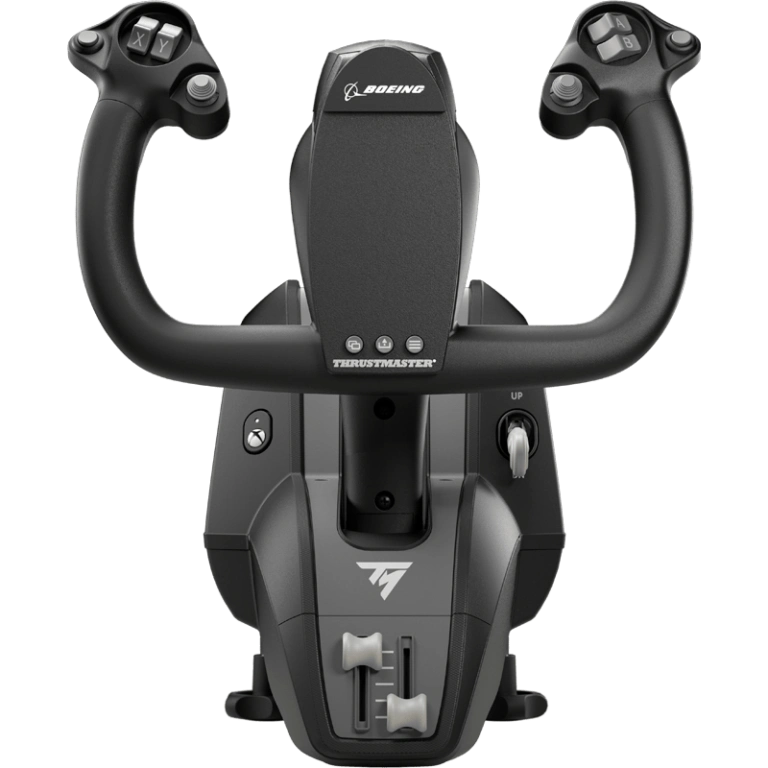
Start with a yoke.
A yoke controls the aircraft's pitch and roll and can make flying an airliner feel much more natural than using a keyboard or game controller.
For a Boeing enthusiast, the Thrustmaster TCA Yoke Boeing Edition is one example. It's officially licensed by Boeing and its design is inspired by the Boeing 787.
If They Have a Yoke but No Throttle
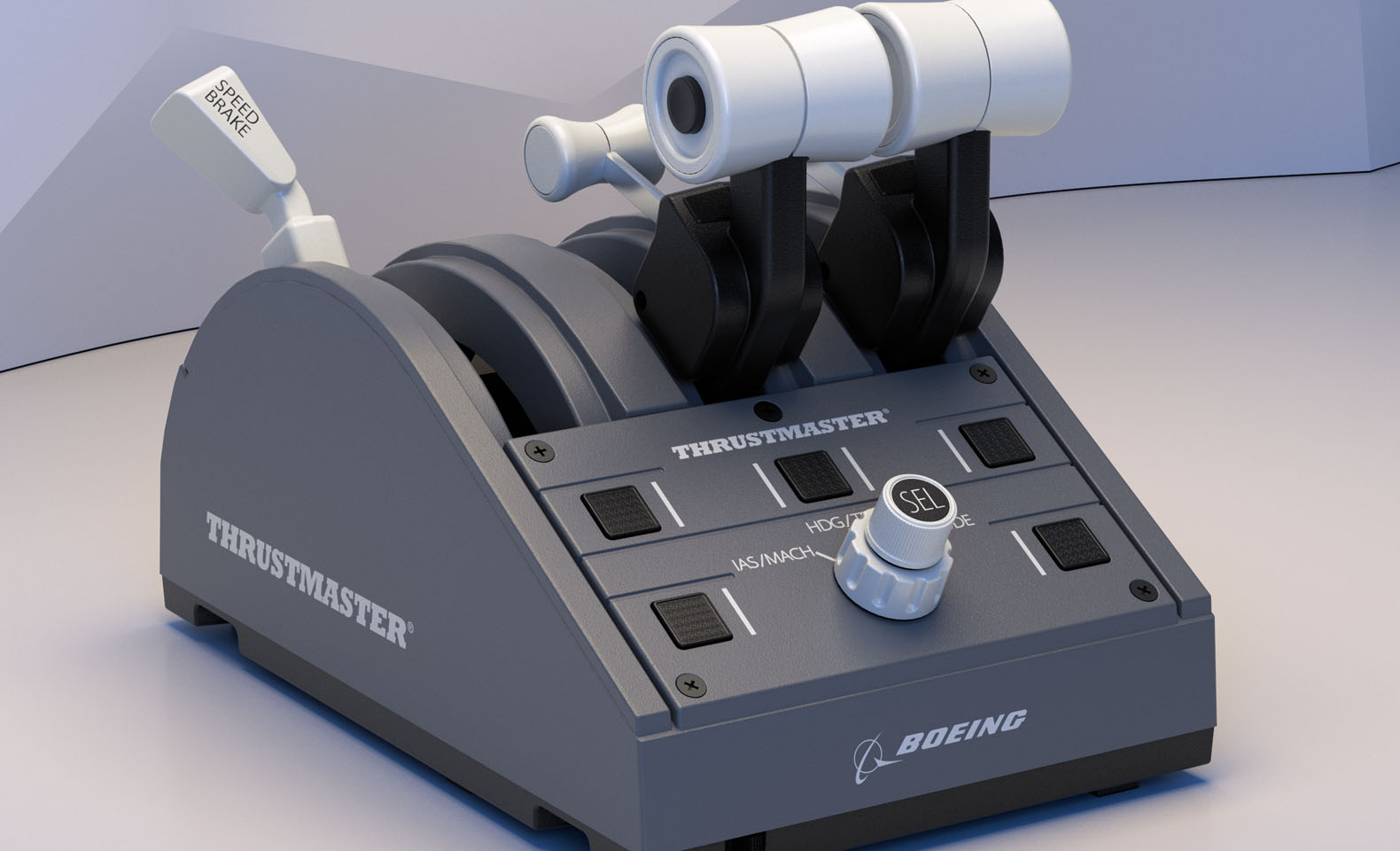
The next place to look is the throttle.
A throttle quadrant controls engine power and is used throughout the flight.
For someone who specifically enjoys Boeing aircraft, the Thrustmaster TCA Quadrant Boeing Edition is one example of a Boeing-inspired throttle quadrant.
If They Already Have a Yoke and Throttle
Look under the desk.
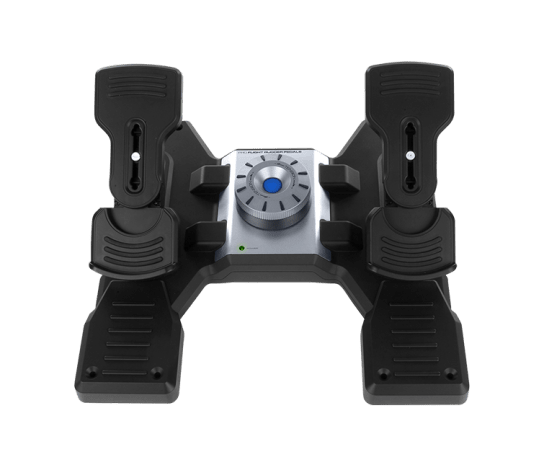
If there are no pedals, rudder pedals may be the missing piece.
Rudder pedals add physical rudder control, ground steering and toe braking.
Products such as the Logitech G Flight Sim Rudder Pedals are examples of this type of upgrade.
3. Already Have the Basics? Watch What They Still Click
If they already have a yoke, throttle and rudder pedals, don't automatically buy another controller.
Instead, watch them fly for a few minutes.
What are they still controlling with the mouse?
A serious flight simmer may already have excellent flight controls but still spend a lot of time clicking virtual switches, knobs and displays.
That's usually a good clue about the next upgrade.
4. For Boeing 737 Fans: Bring More of the Cockpit Off the Screen
If they regularly fly the Boeing 737, dedicated cockpit controls can become more useful than another general gaming accessory.
Take the EFIS control panel as an example.
In simple terms, it contains controls used to adjust information shown on the pilots' flight displays.
On a desktop simulator, those controls are normally clicked with a mouse. A physical EFIS panel turns those clicks into real knobs and buttons.

The Rowsfire B101 Boeing 737 EFIS/ECP Panel is one example of this kind of upgrade.
Good fit for: Boeing 737 simmers who already have the basic flight controls and want to begin adding dedicated cockpit hardware.
5. What If Their Flight Instruments Are Still on the Main Monitor?
Controls aren't the only things that can move off the main screen.
Flight simmers constantly look at instruments such as the PFD (Primary Flight Display) and ND (Navigation Display).
A dedicated secondary display can give this information its own physical screen and make the setup feel more like a cockpit.

Good fit for: someone who already owns their main controls but wants to move important flight information onto a dedicated display.
6. For a Serious Boeing 737 Setup, Look Up
One of the biggest areas still living on the computer screen is the Boeing 737 overhead panel.
It contains controls for electrical power, fuel, lighting, air systems and many other aircraft functions.
A physical overhead panel brings that part of the virtual cockpit into the real setup.

The Rowsfire B107 B737 Overhead Panel is designed for this type of setup.
Instead of searching for a virtual switch with the mouse, the simmer can operate physical switches while following their normal Boeing 737 procedures.
This isn't where we'd tell a beginner to start.
But for someone who regularly flies the Boeing 737, already owns the main flight controls and is building a home cockpit, it can be a much more meaningful upgrade.
Good fit for: serious Boeing 737 enthusiasts, home cockpit builders, or the person who already seems to have everything.
7. Not Every Good Gift Needs to Be Simulator Hardware
If you're not sure about compatibility, there are safer options.
A Boeing aircraft model can work well if you know their favorite aircraft.
Aviation books, cockpit posters, airline collectibles, desk accessories and aviation-themed gifts can also work for smaller budgets.
A headset may be useful for someone who flies online, while a Stream Deck gives simmers programmable physical buttons that can be assigned to different simulator functions.
8. Don't Know What They Already Own? Let Them Choose
This is one of the most common problems when buying a gift for a flight simulator enthusiast.
Their setup may already include several pieces of hardware, and the product they want next may depend on the exact aircraft or simulator they use.
In that situation, a gift card can actually be one of the easiest choices.
Still not sure what to give? Consider a Rowsfire Gift Card. It lets them choose the product that best fits their own setup, whether they're building an Airbus, Boeing, DCS World or Garmin G1000 cockpit.

Let the Flight Simmer Choose
If you know they love flight simulation but don't know exactly what hardware they already own, a Rowsfire Gift Card gives them the freedom to choose the cockpit upgrade that fits their setup.
It is especially useful when you're not sure whether they need a Boeing panel, an Airbus upgrade, an accessory, or something completely different for their simulator. The gift card can be used across the Rowsfire store, so they can choose what fits their setup best.
9. What Should You Buy at Each Budget?
You don't need to spend hundreds of dollars to find a useful flight simulator gift.
Aircraft models, aviation books, desk accessories, cockpit posters, lighting or a gift card.
Smaller flight sim accessories, rudder pedals or compact dedicated cockpit controls.
Yokes, throttle quadrants, dedicated displays and larger flight simulator upgrades.
Larger cockpit hardware for serious simmers, including dedicated Boeing 737 overhead panels and advanced home cockpit upgrades.
Still not sure what to give? A Rowsfire Gift Card lets them decide which part of their cockpit needs upgrading next.
10. Still Not Sure? Use This 30-Second Checklist
- No flight controls yet? → Start with a yoke and throttle.
- Has a yoke and throttle? → Check for rudder pedals.
- Already has the basics? → Look at what they're still clicking with the mouse.
- Flight instruments are still on one monitor? → Consider a dedicated display.
- Regularly flies the Boeing 737? → Look at dedicated 737 cockpit controls.
- Building a serious Boeing 737 cockpit? → An EFIS or overhead panel may be the next step.
- No idea what they already own? → A gift card is the safest choice.
The Best Gift Is the One That Fits Their Setup
You don't need to understand how to fly a Boeing 737 to choose a good flight simulator gift.
Just remember four questions:
Answer those four questions first, and choosing the right gift becomes much easier.
If they're already building a Boeing 737 home cockpit, explore Rowsfire's Boeing simulation gear to see which part of their setup might be missing next.