Skip to product information
1 of 18

Rowsfire

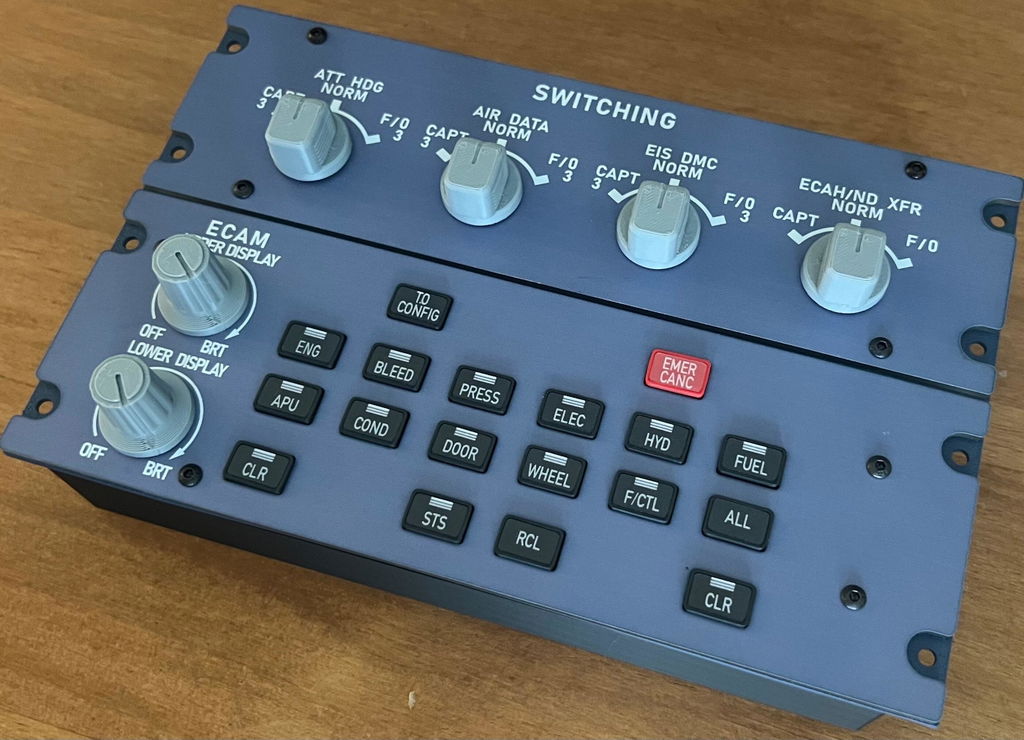
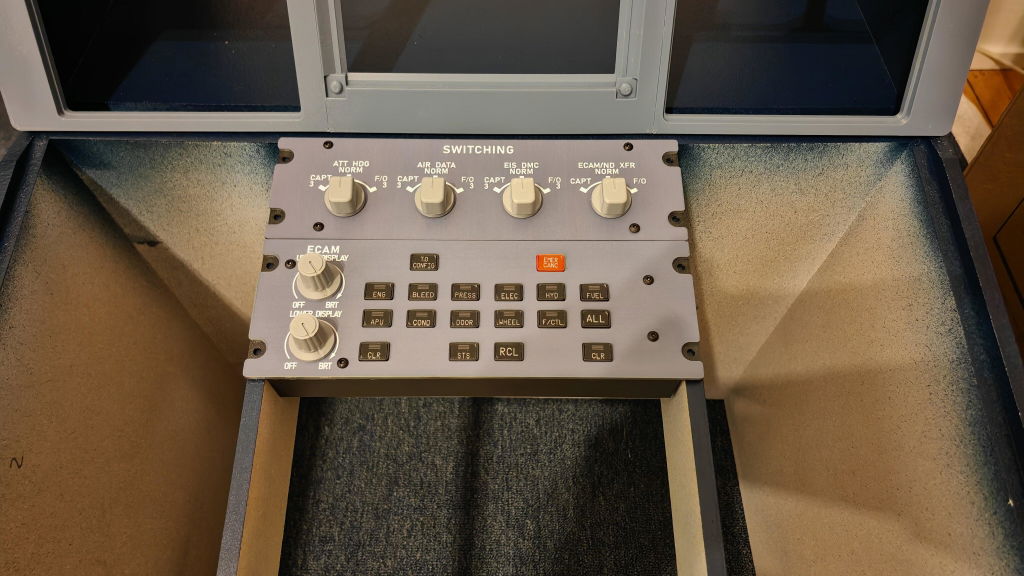
Rowsfire A109 A320 ECAM Panel — 1:1 Scale, Backlit

🔥Halloween Sale: 12% OFF Sitewide

Version
Regular price
$249.99 USD
Regular price
Sale price
$249.99 USD

Free Worldwide Shipping

30-Day Return & Exchange

1-Year Warranty

    Rowsfire A109 1:1 Scale ATT-ADIRS-EIS Integrated Panel - Rowsfire
    Rowsfire A109 1:1 Scale ATT-ADIRS-EIS Integrated Panel - Rowsfire
    Rowsfire A109 1:1 Scale ATT-ADIRS-EIS Integrated Panel - Rowsfire
    Rowsfire A109 1:1 Scale ATT-ADIRS-EIS Integrated Panel - Rowsfire
    Rowsfire A109 1:1 Scale ATT-ADIRS-EIS Integrated Panel - Rowsfire
    Rowsfire A109 1:1 Scale ATT-ADIRS-EIS Integrated Panel - Rowsfire
    Rowsfire A112 1:1 Scale CKPT-LT+WXR-Radar Integrated Panel - Rowsfire
    Rowsfire A109 1:1 Scale ATT-ADIRS-EIS Integrated Panel - Rowsfire
    Rowsfire A109 1:1 Scale ATT-ADIRS-EIS Integrated Panel - Rowsfire
    Rowsfire A109 1:1 Scale ATT-ADIRS-EIS Integrated Panel - Rowsfire
    Rowsfire A109 1:1 Scale ATT-ADIRS-EIS Integrated Panel - Rowsfire
    Rowsfire A109 1:1 Scale ATT-ADIRS-EIS Integrated Panel - Rowsfire
    Rowsfire A109 1:1 Scale ATT-ADIRS-EIS Integrated Panel - Rowsfire
    Rowsfire A109 1:1 Scale ATT-ADIRS-EIS Integrated Panel - Rowsfire
    Rowsfire A109 1:1 Scale ATT-ADIRS-EIS Integrated Panel - Rowsfire
    Rowsfire A109 1:1 Scale ATT-ADIRS-EIS Integrated Panel - Rowsfire
    Rowsfire A109 1:1 Scale ATT-ADIRS-EIS Integrated Panel - Rowsfire
    Rowsfire A109 1:1 Scale ATT-ADIRS-EIS Integrated Panel - Rowsfire
    Airbus ATT-ADIRS-EIS · XECAM Panel

    The Airbus ECAM panel, 1:1 — now with V3 light-sync.

    The Rowsfire A109 is a true 1:1 scale ATT-ADIRS-EIS (XECAM) home-cockpit panel for the A32X / A31X / A350 — backlit, all-metal, with realistic push buttons and a rear Type-C port. The V3.0 release adds light-sync: your panel lighting links to the simulator for dynamic brightness and full on/off control. Built for MSFS 2020/2024.

    1:1 scale ECAM V3.0 light-sync Backlit · metal housing 100×100 VESA Mobiflight · guide included
    🚚Free Worldwide Shipping
    ↩️30-Day Return & Exchange
    🛡️1-Year Warranty
    💬Real Human Support
    Video

    See the A109 in action.

    Features

    Built for an authentic Airbus cockpit.

    A109 panel — 1:1 ATT-ADIRS-EIS layout

    🎯 True-to-scale 1:1 XECAM

    Precisely crafted to 1:1 scale, the ATT-ADIRS-EIS panel ensures seamless integration with your other hardware for a cohesive cockpit — and a consistent size standard for future expansion and upgrades.

    💡 V3.0 light-sync

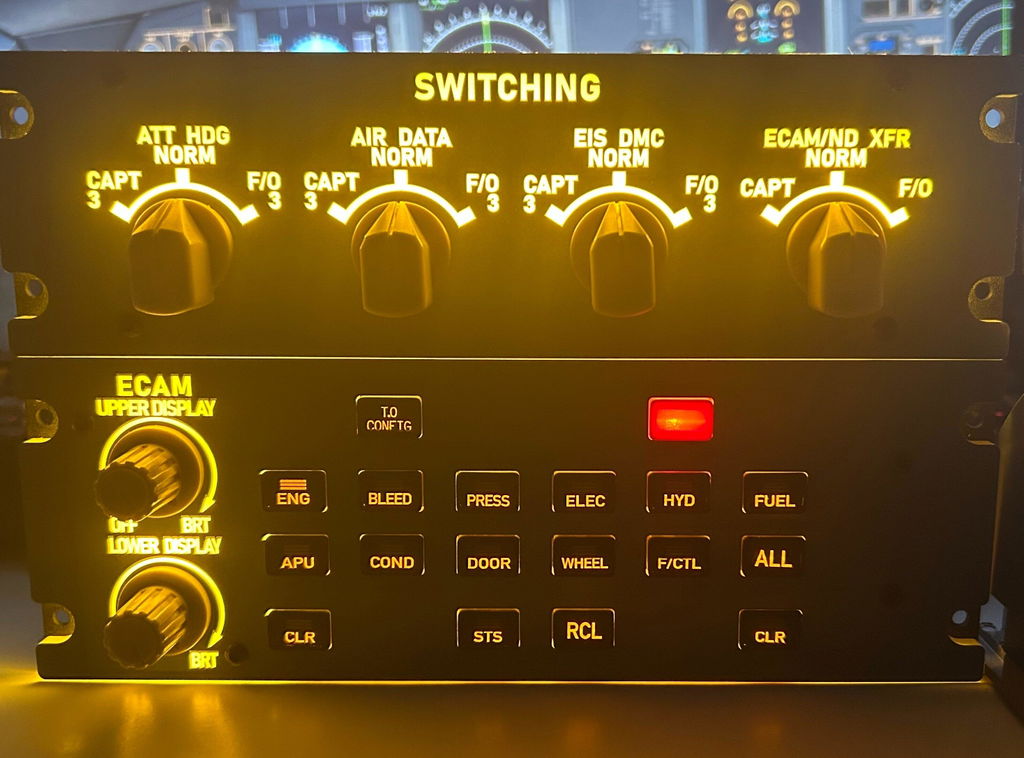
    The v3.0 release adds upgraded light-sync: panel lighting now links with the simulator for dynamic effects — including smooth brightness adjustment and full on/off control. (Use only the v3.0 configuration file.)

    A109 panel — backlit light-sync
    A109 panel — metal housing and rear Type-C

    🧱 Stable performance & premium build

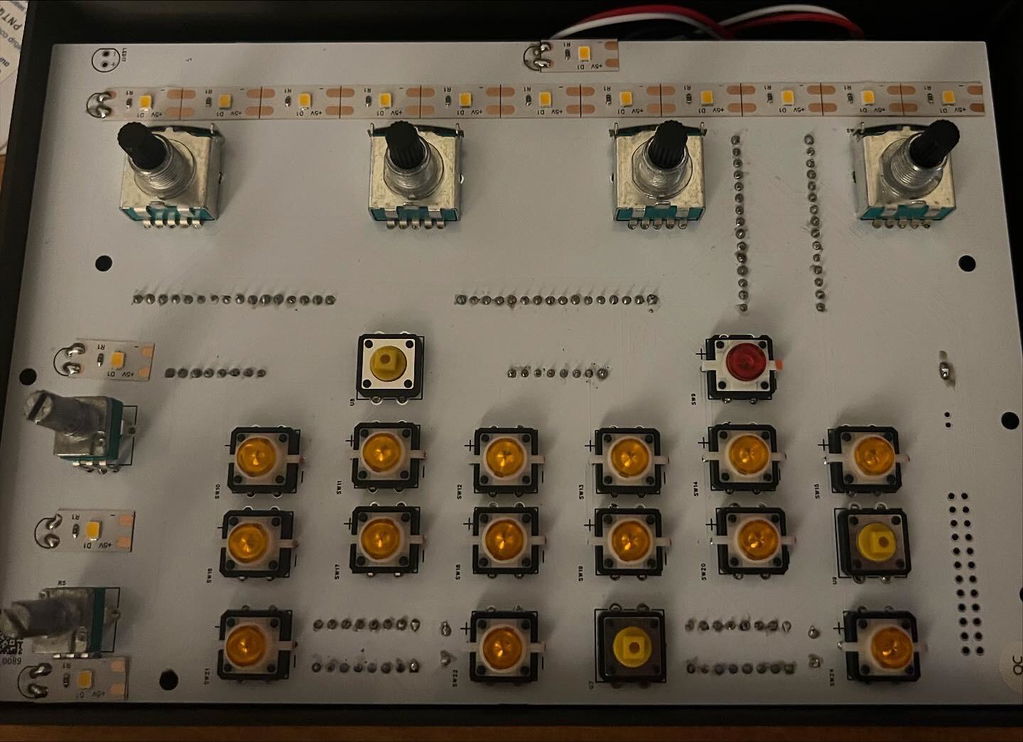
    A printed SMD PCB and specially designed backlit panel — sturdy and comfortable to the touch, with realistic push buttons, a rear Type-C port (cable included) and a 100×100mm mounting pattern on the back.

    ✈️ Optimized for MSFS 2020 & 2024

    Fully compatible with MSFS 2020 and 2024. It doesn't currently support other games without additional configuration — contact us in advance if you plan to use a different simulator.

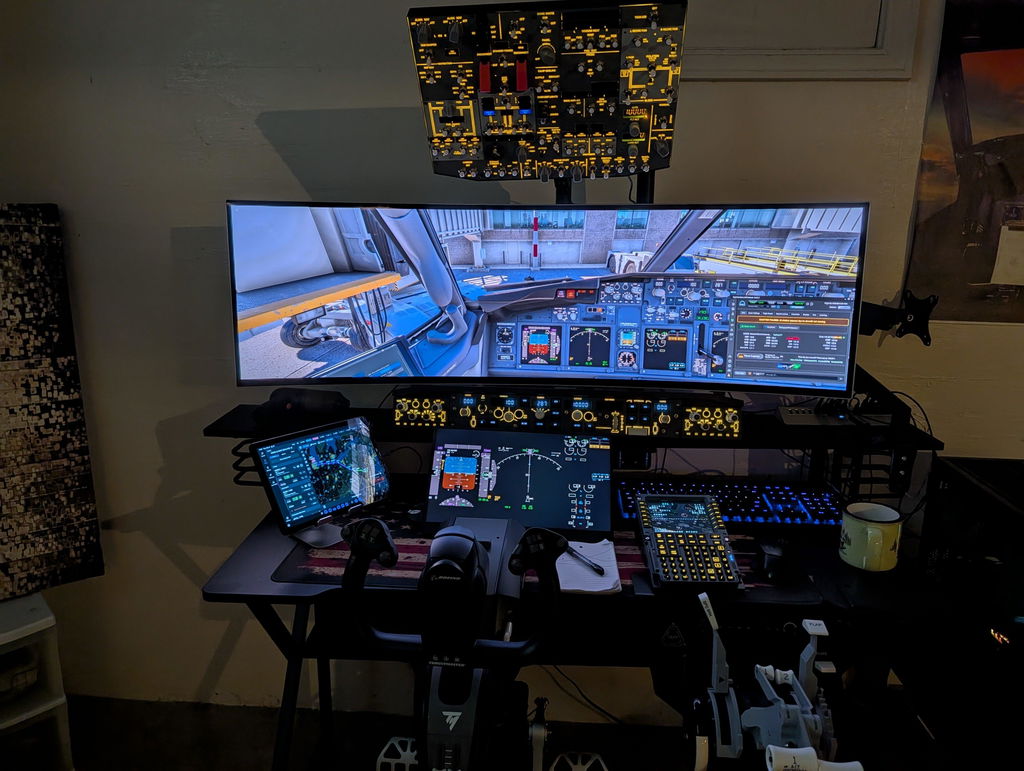
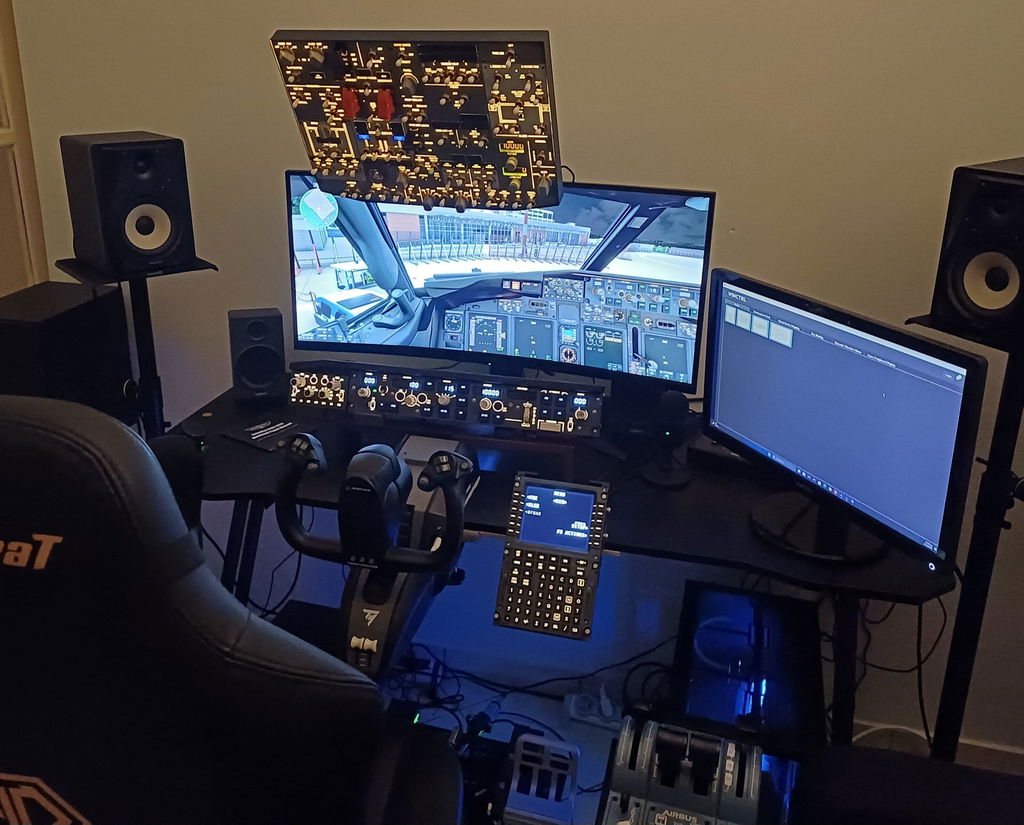
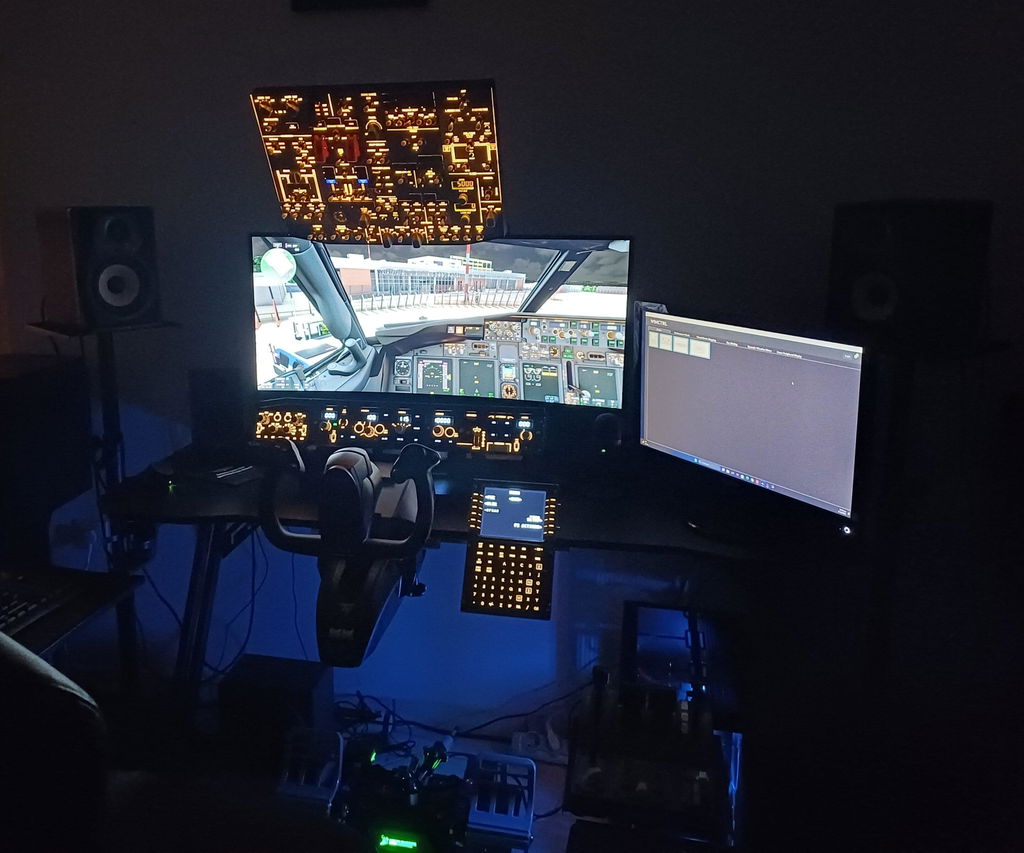
    A109 panel — in a home cockpit
    A109 panel in a Rowsfire A320 home cockpit build

    🔧 Mobiflight-compatible, guide included

    Operates using Mobiflight drivers for broad compatibility, with a detailed user guide included. Works with mainstream A32X models including Fenix and FBW; future updates will expand A35X/A38X support (currently partial).

    Up close

    Every detail.

    A109 panel — detail 1
    A109 panel — detail 2
    A109 panel — detail 3
    A109 panel — detail 4
    A109 panel — detail 5
    A109 panel — detail 6
    Compatibility

    Works with your Airbus.

    Aircraft & add-ons

    • Airbus A32X (Fenix, FlyByWire & ini)
    • A31X
    • A350 (XECAM)
    • A35X / A38X — partial, expanding
    • Other aircraft? Contact us first

    Simulators & drivers

    • MSFS 2020 & MSFS 2024
    • Mobiflight (user guide included)
    • Other sims need extra configuration
    • Rear 100×100mm VESA mounting
    Setup

    One-time setup, then just fly.

    ⚙️ Quick start: scan the QR code included with your order for driver files, a pre-configured MobiFlight profile and a step-by-step guide. Set it up once — then just power on and play. Config files on GitHub.

    ⚠️ V3.0 note: because the configuration file was completely revised for light-sync, only the v3.0 config works — don't use files from v1, v2, or any without a v3.0 label.
    Specs

    The technical details.

    Panel1:1 scale ATT-ADIRS-EIS (XECAM)
    EditionV3.0 — backlit, metal housing, light-sync
    AircraftAirbus A32X / A31X / A350
    MaterialAluminum alloy + acrylic
    Mounting100 × 100 mm VESA (rear)
    ConnectionRear Type-C port (cable included)
    DriverMobiflight (user guide included)
    Product weight600 g
    Package weight900 g
    Product dimensions23 × 14.5 × 4 cm
    Package dimensions25 × 17 × 6 cm
    PackingCarton box
    Age16+
    In the box

    What's included.

    • 1:1 Scale ECAM Panel × 1
    • Data Cable × 1
    Guarantee

    Backed by Rowsfire.

    🚚
    Free Shipping

    Free worldwide shipping on your order.

    ↩️
    30-Day Returns

    Return or exchange within 30 days.

    🛡️
    1-Year Warranty

    Covered for a full year against defects.

    💬
    Setup Support

    Config help from a real person, any time.

    Before you buy

    Questions, answered.

    What is light-sync, and why does the config matter?
    Light-sync (new in v3.0) links the panel's lighting to the simulator for dynamic effects — smooth brightness and full on/off control. Because the config file was completely revised, only the v3.0 configuration works; don't use v1/v2 files.
    Which aircraft and simulators does it support?
    It's optimized for MSFS 2020/2024 and works with mainstream A32X models including Fenix, FlyByWire and ini. A35X/A38X support is currently partial and expanding. For aircraft outside the A32X series, or other simulators, contact us before purchasing.
    How is it set up?
    It runs on Mobiflight and comes with a pre-configured profile — scan the included QR code for driver files and a step-by-step guide. It's a one-time setup; after that, just power on and play.
    How does it mount and connect?
    A rear Type-C port (cable included) handles the connection, and there's a 100×100mm VESA pattern on the back for mounting.
    What if something isn't right?
    You're covered by free worldwide shipping, a 30-day return & exchange window, and a 1-year warranty — plus real setup support if you need a hand.

    Bring your ECAM to life.

    A 1:1 ATT-ADIRS-EIS panel in premium metal with V3 light-sync and realistic push buttons — Mobiflight-ready with a guide included. Add the A109 to your Airbus cockpit.

    ✓ Free shipping  ·  ✓ 30-day returns  ·  ✓ 1-year warranty  ·  V3.0 light-sync
    Join the crew

    Join the Rowsfire flight crew.

    👨‍✈️

    Building an Airbus home cockpit?

    Join the Rowsfire Facebook community for exclusive updates, setup help, config files, discounts and giveaways.

    Join the Community →
    • 5 stars: 15 (88%)
    • 4 stars: 1 (6%)
    • 3 stars: 0 (0%)
    • 2 stars: 1 (6%)
    • 1 star: 0 (0%)
    G
    George Kanakis

    Incredible Panel. Very easy to use and setup with Mobiflight for the Fenix A320 family. With a bit of trial and error, I have even managed to make my own custom Mobiflight profile for the FSLabs A321N, so if even a newbie like me who doesn't know much about Mobiflight can manage to configure this panel for a different aircraft, I think anyone can :)

    S
    STIEVENART

    Expérience satisfaisante, intégration parfaite dans mon home cockpit A320 grâce à son échelle 1:1 et son application RowsfireApp 1.8.0.0

    A
    Anonymous

    First things first, as a real A320 pilot maybe my expectations are too high, maybe I was expecting it to be like the real thing…

    The good bit is that this panel fills a gap in the market for fairly well priced ECAM Switching panel hardware.

    Unfortunately, my panel took a month to dispatch, I ordered about mid September and it arrived 15th October. They dispatched a V1 unit to me even though the dispatch was after V3 had released. I contacted about upgrading to V3 prior to dispatch with sadly no reply, I didn’t expect a free upgrade but I would have paid for the better backlight feature. That was a shame.

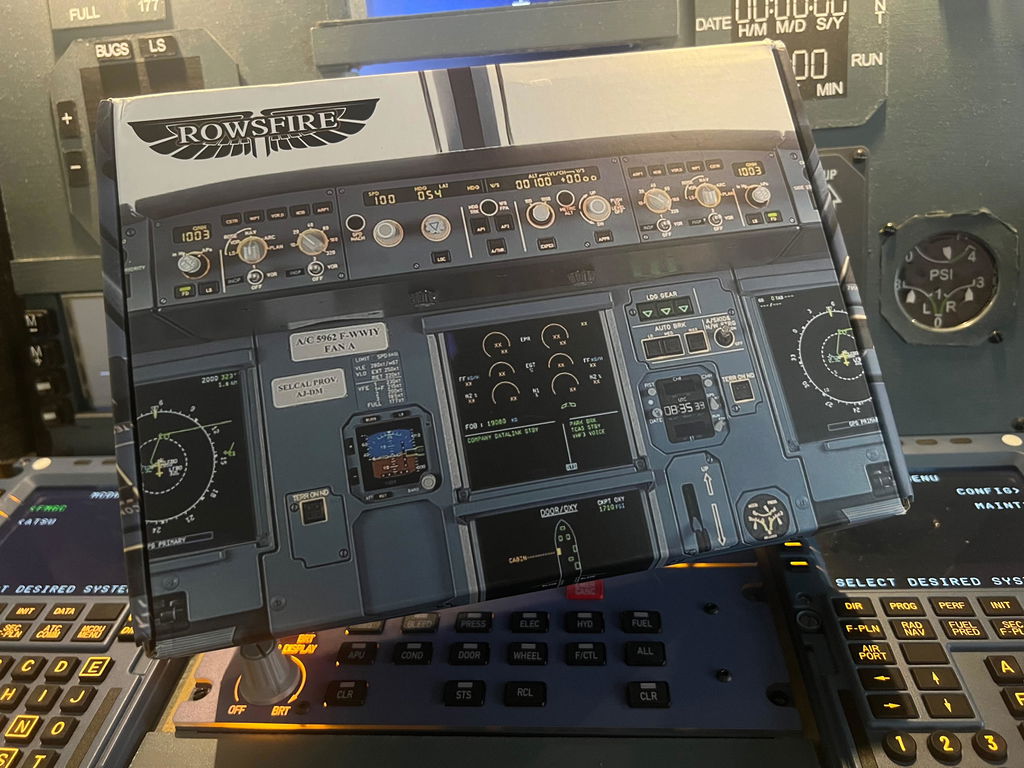
    It eventually arrived though and I must say, the box was great, lovely and printed with an Airbus A320 flight-deck shown, in a clear cellophane wrap. The packaging is good, sturdy and protects the contents well with the use of foam etc.

    The panel itself was ok but I wasn’t blown away when I first held it. It felt light, cheap and very fragile, like if you held it wrong it would come apart. There is no backlight dimming control too when plugged in. It has a print on the faceplate for the text and panel colour, but the colour seems really off - a faded purple/grey rather than the Airbus colour and as such matches none of my other cockpit panels. The print also scratches super easy and when this happens the backlight bleeds through.

    Speaking of backlight, it’s on permanently from the USB power. It’s so bright - very overpowering, and because the panel only has paint/print on the top of the panel, the bleed of light on the edges is unsightly.

    The 3d printed knobs are ok, the dimmers are actually a really nice print, however the selectors are far smaller than irl, they also need 45 degree potentiometers rather than 30 degrees which are installed, in order to make them align with the printed text when turned.

    The ECAM page selection buttons are a solid plastic feel, they’re tactile and nice to the touch, sadly they don’t backlight the text, so in the dark it can be tough to know which button is being pressed, until it illuminates from selection.

    It would have been really cool to have the spring loaded guard over the emergency cancel too.

    My other issue with it is the mobiflight config file which I believe they’re doing away with now through their own software so probably not an issue anymore, but I basically had to re-do it myself as the selectors were totally set up wrong, half the LEDs and buttons hadn’t even been assigned - good job I know how to configure mobiflight!

    Anyway. It now sits there in my home cockpit pedestal having been modified to bring it up to my standards, I did a DIY solution for dimming the backlight and with a change to the LEDs to allow a more amber and softer backlight. I think for casual gamers putting it on a desk it’s fine, but maybe not so much for cockpit builders. Perhaps V3 is much better though, or maybe my expectations were too high. I emailed about my panel issues but wasn’t satisfied with the reply offering a $10 voucher, so I accepted my panel and fixed it up myself.


    Thank you for your evaluation. The A109 V1 you currently have is our first-generation product. We are very grateful for your numerous and sincere comments. Our customer service staff at service@rowsfire.com will contact you to provide you with a satisfactory solution.

    M
    Matt

    Overall I was quite impressed with this ecam panel. Feels like it's good quality and a sturdy build. It all worked as advertised pretty much straight out of the box (after following the simple setup instructions) with MSFS2024 and the Fenix A320. USB on the bottom is good for cockpit builders like me but you wouldn't be able to just sit it on a desk. The only minor thing is that I wish Rowsfire provided a config file for X-Plane Toliss A320. I spent a few hours with the help of Chat Gpt and got it configured for Toliss and can confirm it's fully functional for that too, just would've been much easier if Rowsfire provided a file. But to be fair they state this pretty clearly on the product page so I knew that would be the case. Overall very happy, recommend for anyone looking to put this in a home cockpit build.

    Thanks for your objective and detailed review, really appreciate it!
    Your suggestion has already been passed on to our developers, and we’re waiting for good news from the technical team. We’ll speed up the progress on the configuration file as well.

    Thank you so much for your support and help! 😊

    A
    Anonymous

    This product is great ! Very happy with it. Thank you so much.

    Hi Matt,Thank you so much for your wonderful feedback! We’re very happy to know that you are enjoying your A109 ECAM Panel.
    Your support means a lot to us, and we hope it continues to enhance your flight simulation experience. Enjoy your flights with Rowsfire!

    A
    Anonymous

    Easy to setup. Good quality and functional

    Hi there! We're delighted to hear you found the Rowsfire Panel easy to set up and of good quality. Thanks for sharing your positive experience!

    R
    Ron Reek

    Great product as normal great quality and i am excited to get the center pedastal then i have al products of Rowsfire

    y
    yvan

    Correspond à mes attentes, à voir par la suite.

    P
    Pascal Fouraignan

    Very good

    A
    Anonymous

    Great panel.

    F
    Francesco Fede

    Perfect

    F
    Felipe Ayala

    Very precise, works perfect. I received a great help from your technician Lai.
    I really appreciate it.

    M
    Michel Bruin

    The device is very easy to use and very fun to use and config is also easy and handy for the flight settings

    A
    Anonymous

    Everything is great

    B
    Bartosch Reichwald

    Hi, i love the true scale size. It works and look like the original. I'm happy with it. Rowsfire Team... go ahead and produce more 1:1 Cockpit items.
    Best regards

    J
    Jorge Cano

    I am so happy with the panel, and it works perfectly!!
    It was easy to install and the realism is amazing!!!
    Thank you Rowsfire you have now a very faithful customer!!!
    Waiting for realistic RMP'S and ACP'S

    Thank you so much for your amazing review! We’re truly happy to hear that the panel works perfectly for you and that the installation and realism exceeded your expectations.

    Your support means a lot to us, and having you as a loyal customer is the greatest encouragement for our team.
    We’re already working hard on more realistic RMPs and ACPs and we can’t wait to share them with you when they’re ready.

    Thank you again for your trust and enthusiasm!

    A
    Anonymous

    Du très bon matériel 👍

    Merci beaucoup, ça fait vraiment plaisir !

    D
    Dean Ledger

    Can Rowsfire publish the A109 V3 mcc file proven by Frostnuts to the Github please as the V1 software will not work with the V3 and indicated by Jerry

    Rowsfire

    Regarding the A109 V3 MCC file verified by Frostnuts, we have already made this available on our official website. You can find and download the necessary configuration files directly at this link: https://rowsfire.com/blogs/product/rowsfire-mobiflight-configuration-file-table

    M
    Manne Koponen

    Hi,

    I am not able to dim the backlight of my A109 full size EICAS panel.. I didn’t find any parameter from the .mcc file.

    Is there a dedicated pin in the board for controlling the back light leds with pwm or are they on full brightness all the time?

    Thanks!

    Rowsfire

    There are reserved solder pads on the mainboard. You just need to solder a potentiometer, and then you can adjust the brightness.

    C
    Cédric Delmoitié

    Hello,

    I do have a question about A109 ecam panel. How does it connect to the sim ? Via mobiflight or other?

    Thanks for your answer.

    Best regards,

    Cédric

    Rowsfire

    Yes, it connects via Mobiflight. Currently, there is no other method available.

    A
    A109

    Guys, background lights works with the sim? like if i decrease the lights on the sim, will it reduce also on your hardware? or does it have “itself light dercreaser”?

    Rowsfire

    They cannot sync with the sim, as they are independent.