

Rowsfire Holiday Gift Guide · 2026
Choosing a gift for a flight simulator fan means considering the aircraft they fly, the equipment they already own, and the space available for their setup. A beginner may need a joystick, while an airliner enthusiast may be ready for a cockpit panel upgrade.
This guide brings together gift ideas for different setups and budgets, with the Rowsfire B107 and A107 Pro as featured picks. Before buying specialized hardware, check the recipient’s simulator, aircraft add-ons, and operating system.
Flight Sim Gifts by Budget
The right choice depends on the recipient’s current setup. If you are unsure about compatibility, software add-ons or a gift card can be safer choices than specialized hardware.
For Boeing 737 Fans: Rowsfire B107

Bring the 737 Overhead into the Home Cockpit
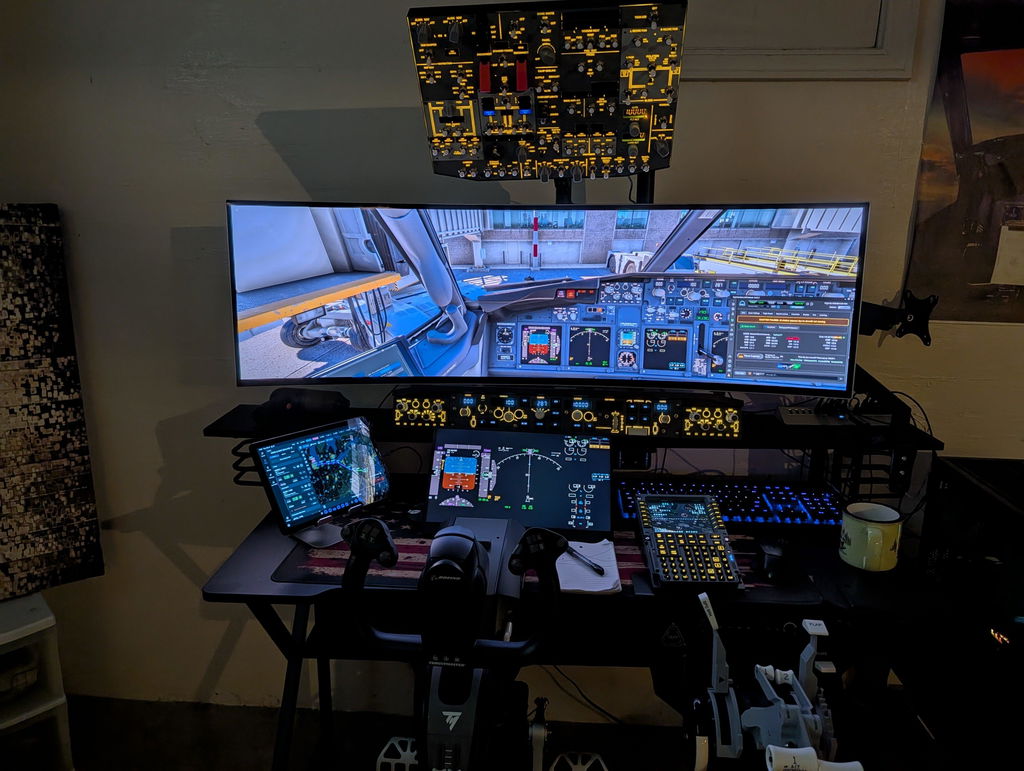
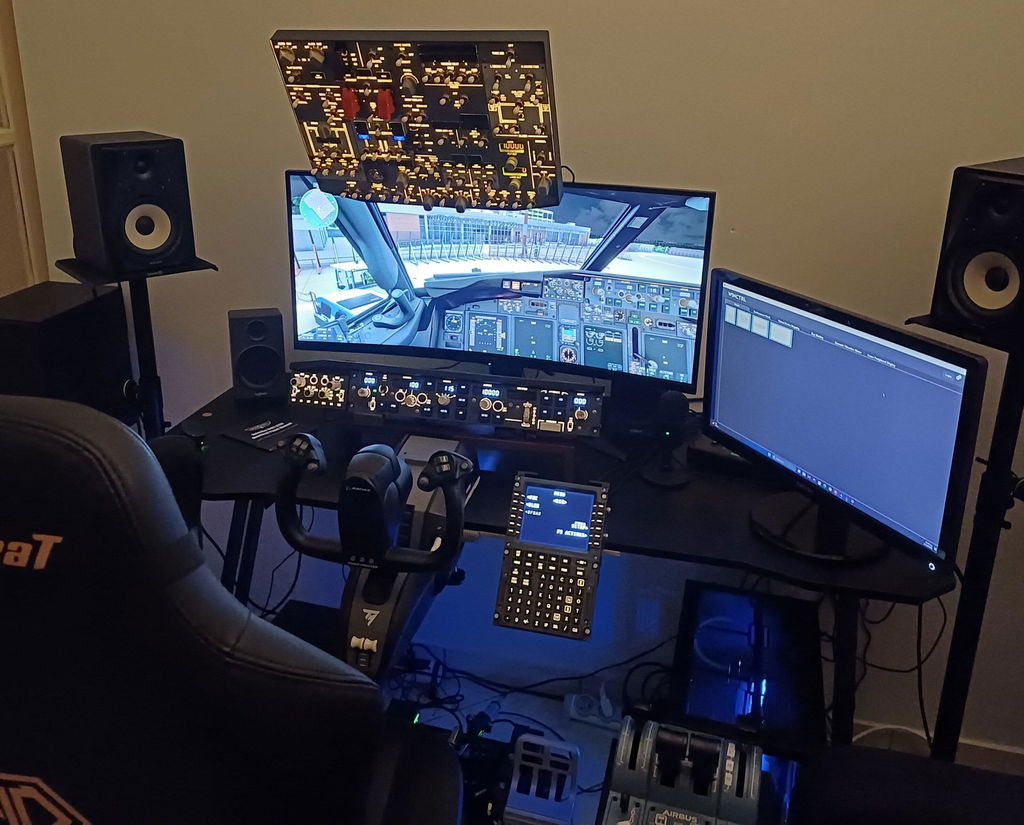
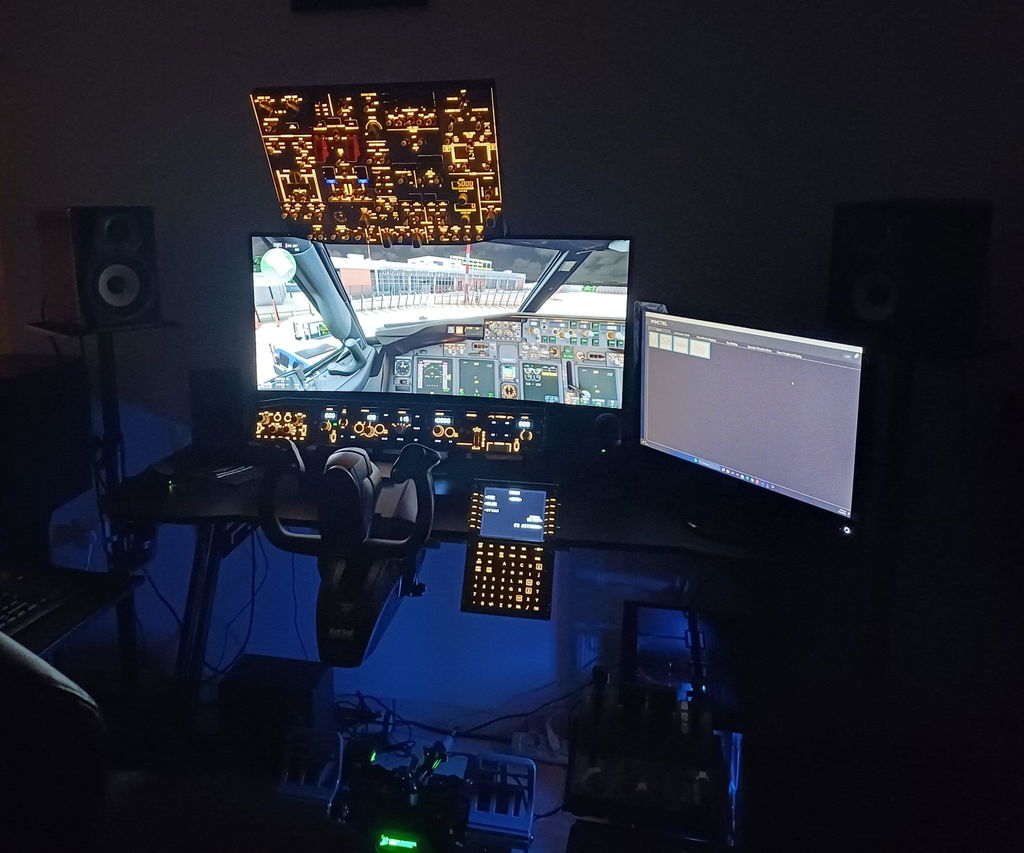
The Rowsfire B107 is a physical Boeing 737 overhead panel for pilots who want to operate more aircraft systems with real switches. Its backlit controls are easy to see during day or night flights, and its metal enclosure gives the panel a solid cockpit feel.
The B107 supports selected Boeing 737 add-ons in MSFS 2020, MSFS 2024, and X-Plane 12 on Windows, including PMDG 737, Zibo 737, iFly 737 MAX, and LevelUp 737. Compatibility depends on the simulator and aircraft add-on, so check the product page before ordering.
Black Friday Early Access: 12% off. Check the sale page for current pricing.
Explore the B107For Airbus A320 Fans: Rowsfire A107 Pro

A More Hands-On A320 Flight
The Rowsfire A107 Pro is an A320 overhead panel with full-size controls and backlighting. It brings frequently used overhead systems into the physical cockpit setup, giving Airbus fans more direct interaction during a flight.
The A107 Pro supports selected Airbus aircraft, including Fenix A320, FlyByWire A32NX, ToLiss A320, and FSLabs A321 on supported Windows simulators. It connects through the Rowsfire App, with MobiFlight available for additional customization. Check the latest compatibility and mounting details on the product page.
Black Friday Early Access: 12% off. Check the sale page for current pricing.
Explore the A107 ProMore A-Series Gifts for Airbus Fans
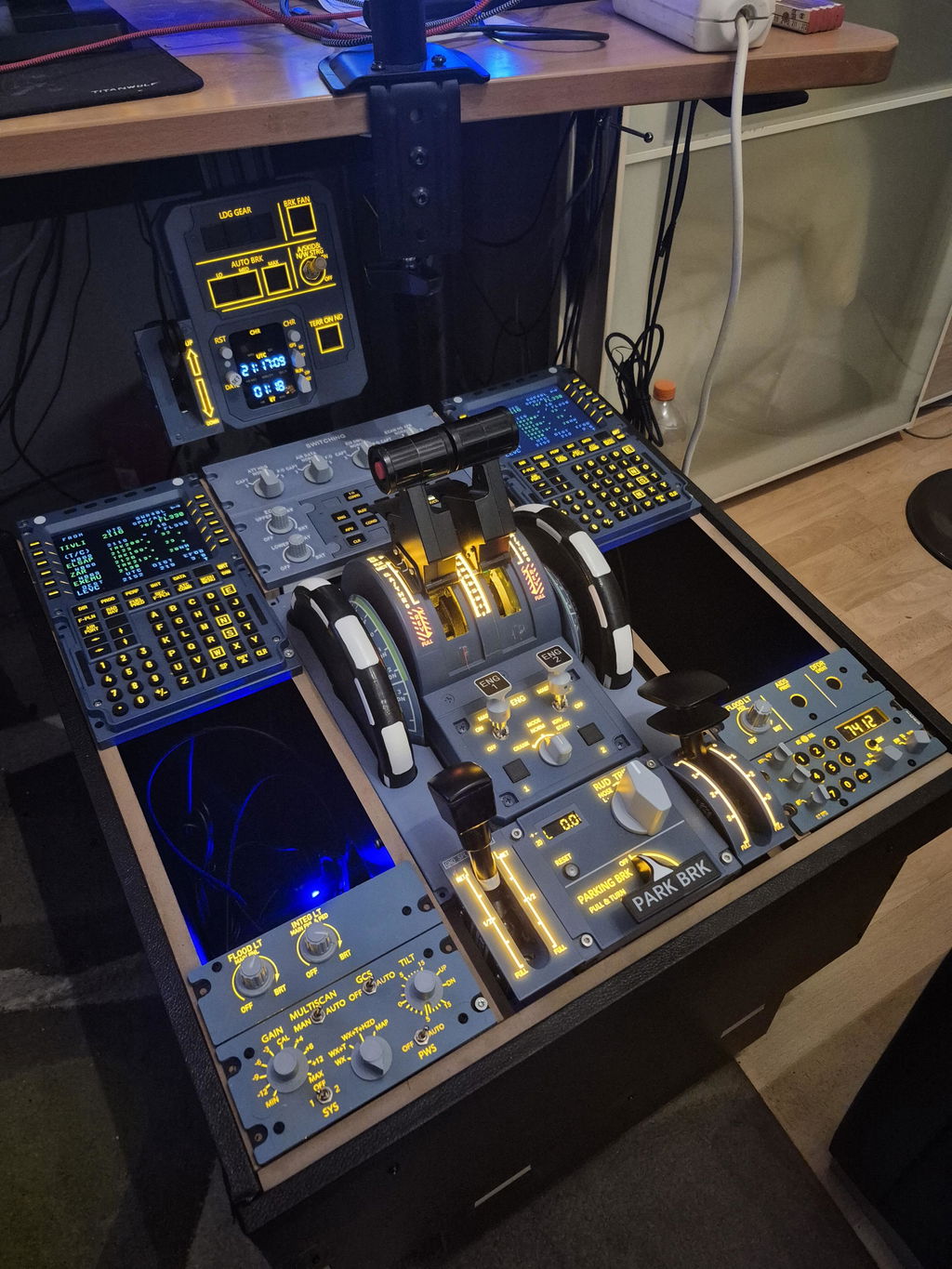
Not every A320 gift needs to be a full overhead panel. These A-Series options cover ECAM and radio controls, cockpit displays, weather radar, lighting, and glareshield systems. Check each product page for the latest compatibility, dimensions, and availability.

A109 ECAM Panel
A full-size A320 panel for simmers adding more system controls to their cockpit build.
View the A109 →
A111 Radio & Audio Panel
A full-size RMP/ACP panel for simmers who want dedicated radio and audio controls.
View the A111 →
A112 Weather Radar & Cockpit Lights
Adds physical weather radar and cockpit lighting controls to an A320 setup.
View the A112 →
A113 ATC & Cockpit Lights
A full-size panel for adding ATC and cockpit lighting controls to an A320 build.
View the A113 →
A117 Glareshield Warning Panel
A 1:1 scale warning panel for A320 builders completing the front cockpit area.
View the A117 →More Flight Simulator Gift Ideas
Flight Controls
If the recipient still flies with a keyboard and mouse, a joystick can be a useful first upgrade. A yoke may suit someone who mainly flies aircraft with yoke controls, while a throttle quadrant gives more hands-on control over engine power and aircraft configuration.
Before choosing a control, check which aircraft they fly and whether they use PC or Xbox.
Headset and Microphone
A comfortable headset can make long flights more enjoyable. A microphone is useful for online flying, multiplayer sessions, and virtual airline operations. These are good choices if you know the recipient enjoys flight simulation but are unsure about their cockpit hardware.
VR and Head Tracking
VR can create a stronger sense of being inside the cockpit. Head tracking lets pilots look around the virtual aircraft without wearing a headset. Both options depend on computer performance, simulator compatibility, and personal comfort preferences.
Software and Gift Cards
Aircraft add-ons, airport scenery, navigation tools, and simulator gift cards are useful alternatives to hardware. Confirm which simulator the recipient uses. A gift card lets them choose something that fits their setup.
Stands and Cockpit Accessories
A panel stand or cockpit frame can help organize a growing setup and position controls at a comfortable height. Rowsfire options include an A320 pedestal, front cockpit frame, joystick stand, and adjustable panel stand.

A110 Pedestal Stand
A center pedestal frame for organizing compatible A320 center-console panels. Check the selected material and included items before ordering.
View the A110 →
A220 Cockpit Frame
A 1:1 scale A320 front-cockpit frame available in captain-side and full-size configurations. Panels, FCU, EFIS, monitors, seat, and PC are sold separately.
View the A220 →
A221 Joystick and Handwheel Stand
A dedicated stand for positioning compatible sidesticks or yokes in an A320-style setup. Check dimensions and hardware fit before ordering.
View the A221 →
Adjustable Panel Stand
A practical option for someone who already owns a panel and needs a more comfortable mounting position. Check column height, arm type, desk clamp, and VESA compatibility.
View the adjustable stand →
13-Port Powered USB Hub
A useful addition for a desk with multiple sim panels and USB devices. It has individually controlled ports and its own power adapter.
View the USB Hub →Before ordering a stand or frame, check desk space, product dimensions, mounting requirements, and whether panels or monitors are included.
Rowsfire Black Friday Early Access
What to Check Before Buying
- Which aircraft does the recipient fly most?
- Which simulator and operating system do they use?
- What controls or panels do they already own?
- Will the product fit their desk or cockpit?
- What are the current compatibility, stock, and shipping details?
Flight Simulator Gift FAQs
What is a good gift for someone who plays Microsoft Flight Simulator?
A joystick is a useful first upgrade. More experienced players may prefer a cockpit panel, VR headset, or head-tracking device. Check compatibility with their aircraft and platform before buying.
What is a good gift for a Boeing 737 flight sim fan?
A dedicated 737 overhead panel, such as the Rowsfire B107, adds physical controls for supported Boeing 737 aircraft. Confirm the recipient’s simulator and aircraft add-on first.
What is a good gift for an Airbus A320 flight sim fan?
The Rowsfire A107 Pro is an A320 overhead panel with physical controls and backlighting. For other A320 gift ideas, consider the A109, A111, A112, A113, or A117. Check each product page for supported aircraft, simulator versions, and mounting requirements.
Is flight simulator hardware compatible with every aircraft?
No. Compatibility varies by simulator, aircraft add-on, operating system, and sometimes hardware version. Check the product’s compatibility list before ordering.
Are the Rowsfire B107 and A107 Pro included in the Black Friday sale?
Both are listed at 12% off during Black Friday Early Access, which ends November 13, Pacific Time. Visit the sale page for current prices and terms.