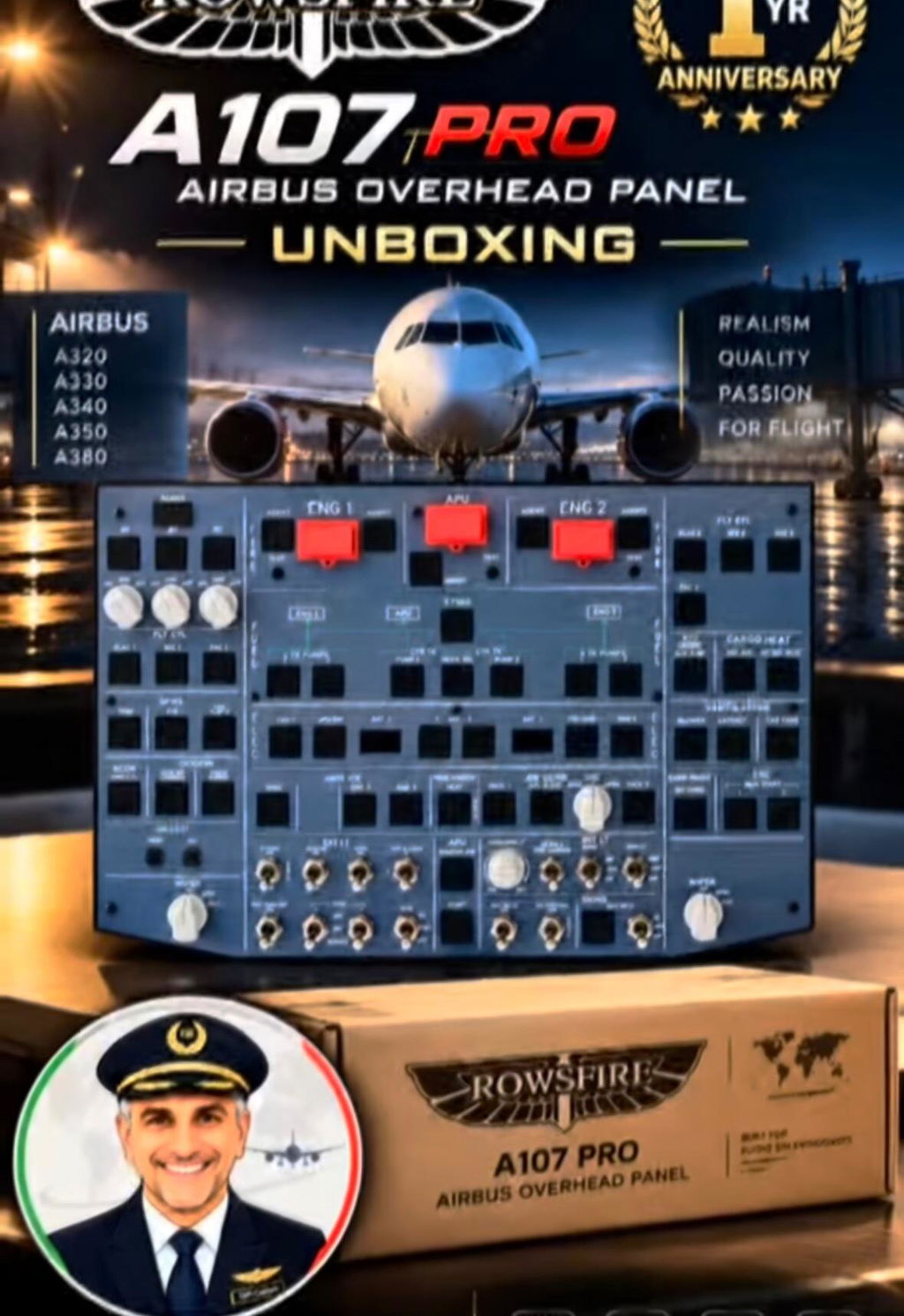
SimHanger Reviews the Rowsfire A107 Pro Airbus Overhead Panel
Mark from SimHanger Flight Simulation tested the A107 Pro’s construction, controls, software, mounting and in-simulator response with the Fenix A320 in Microsoft Flight Simulator 2024.
Watch the Full SimHanger Review
The original video provides the complete context, including Mark’s mounting solution, software demonstration and a practical Fenix A320 flight from Paris Charles de Gaulle to London Heathrow.
SimHanger Flight Simulation has put the Rowsfire A107 Pro through a detailed hands-on test. Reviewer Mark examined the panel away from the simulator, installed it on his Airbus rig, checked every input through the RowsfireApp and then used it during a complete Fenix A320 test flight in Microsoft Flight Simulator 2024.
His conclusion was positive and carefully qualified: at the price shown when the video was published, he considered the A107 Pro the most comprehensive Airbus overhead panel available below US$500 and one of the strongest balances of functionality, cost and ease of use.

A strong balance of coverage, price and everyday usability.
Mark described the A107 Pro as fair value for money and a sturdy panel suited to regular use. He particularly valued its broad functional coverage, direct control response and straightforward setup.
He also identified practical opportunities for improvement: longer cabling, more premium-looking rotary knobs, a visual diagnostic interface and smoother behavior during the full-light test.
Solid Construction with Positive Tactile Feedback
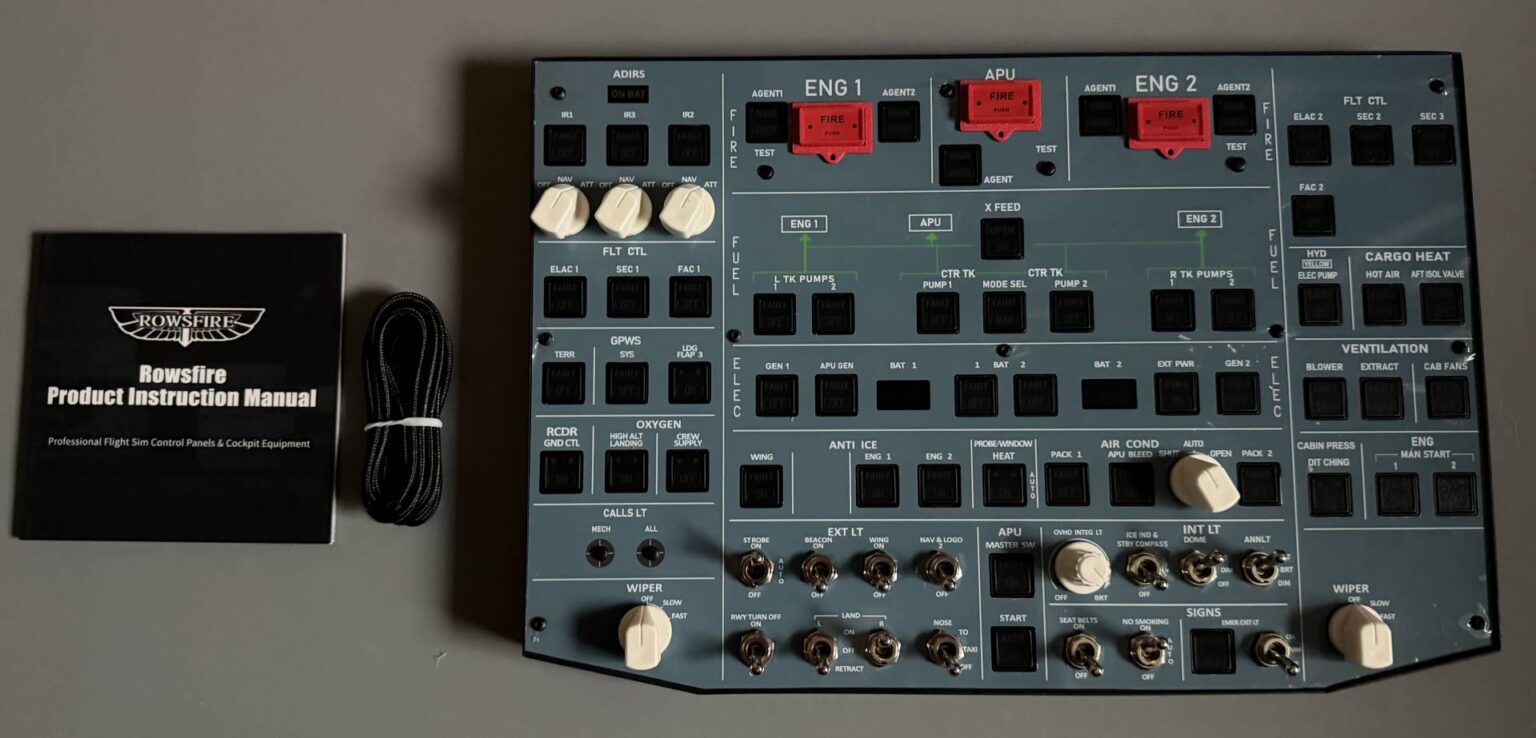
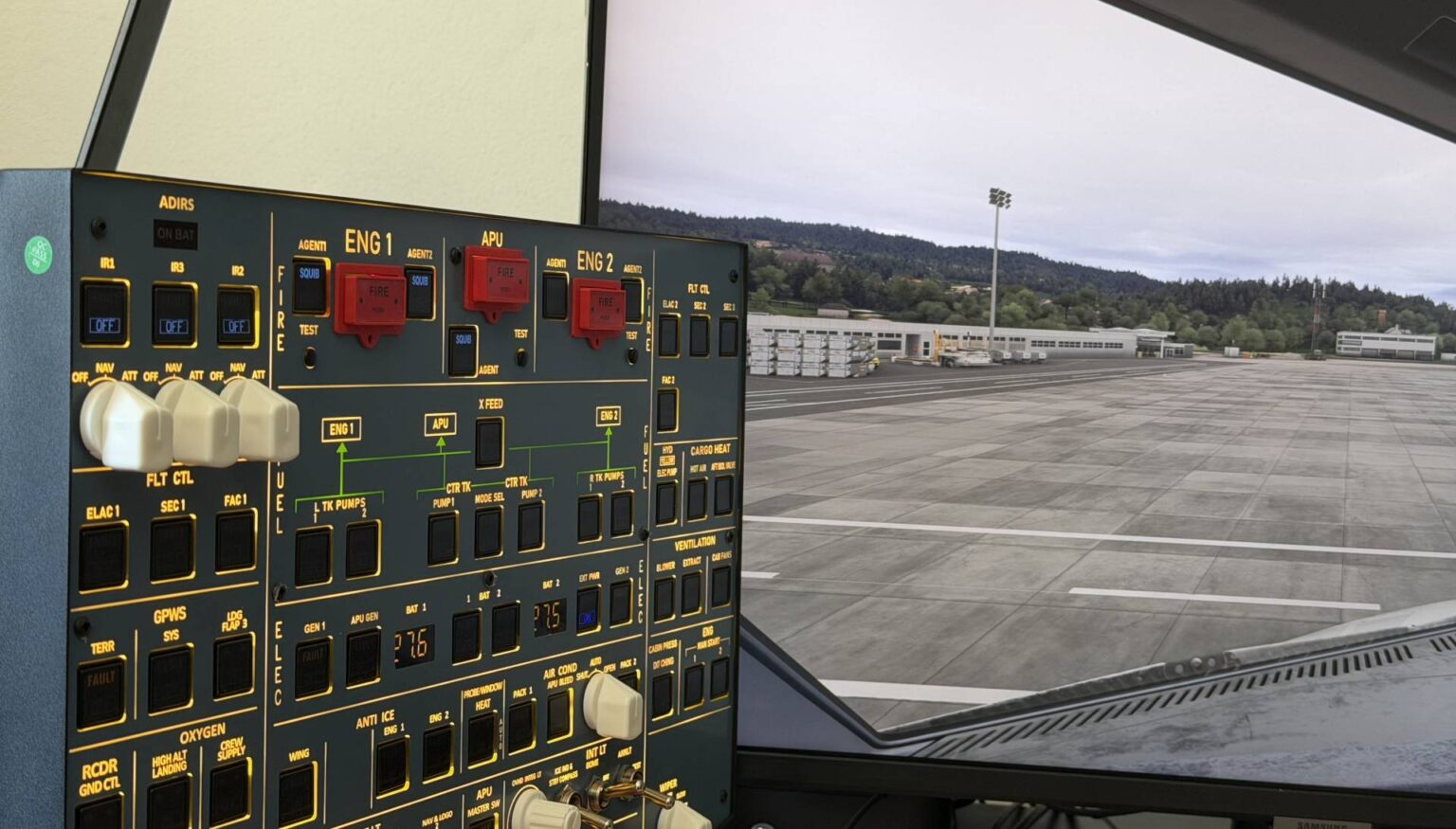
Mark found the 1.5 kg panel substantial without being unnecessarily heavy. The main enclosure is aluminum, while the front fascia uses a plastic composite. In his view, the overall fit and finish were appropriate for the product’s price category: not positioned as a premium replica, but well balanced for a compact home cockpit panel.
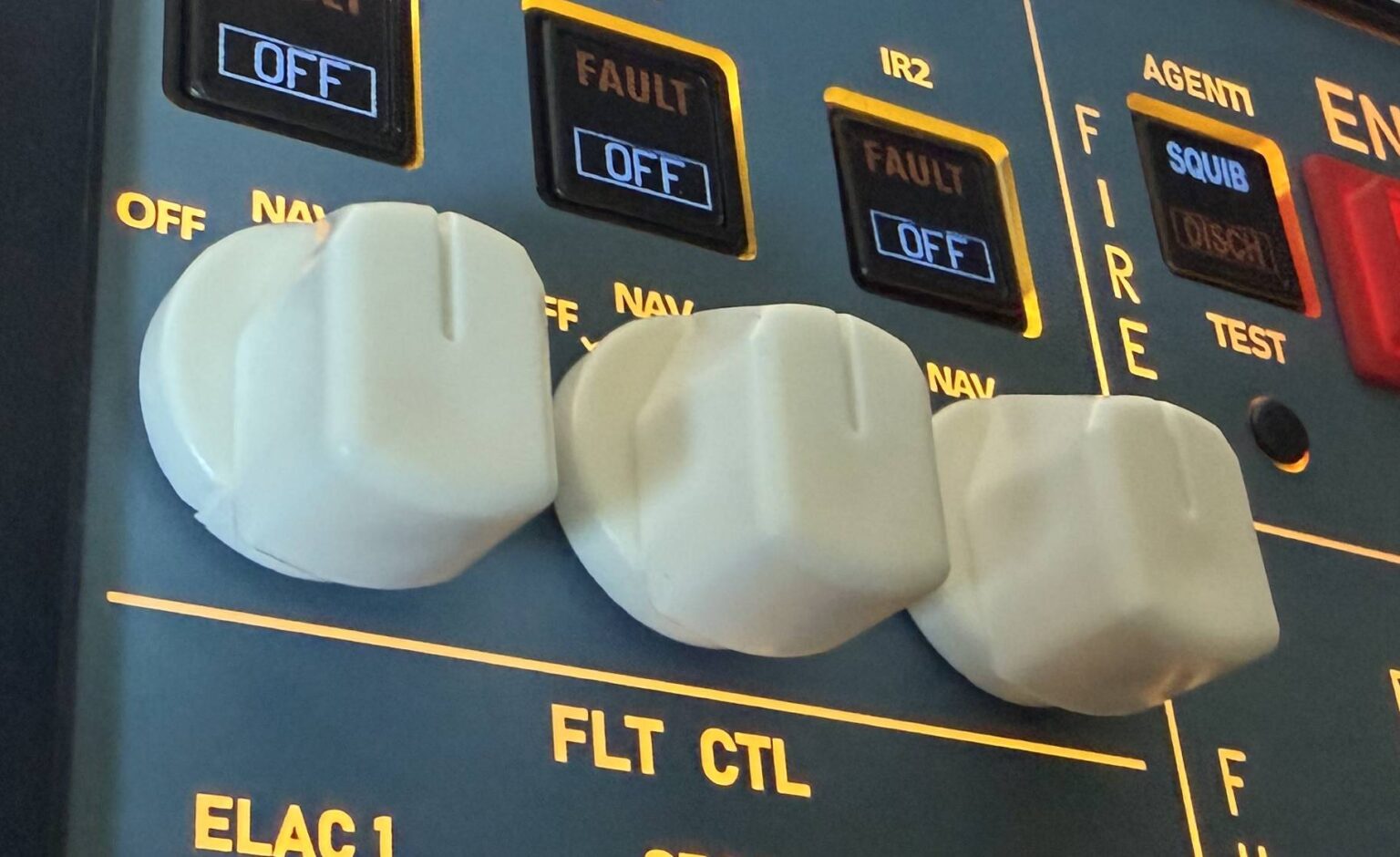
The metal two-way and three-way toggle switches felt firm, and the rotary controls provided clear feedback. The strongest impression came from the push buttons, which Mark praised for their definite click, useful travel and positive response.
His main reservation concerned appearance rather than function: although the rotary knobs worked well, he felt that some looked more plastic than he would prefer.
One Main Cable, Plus Supplementary USB-C Power
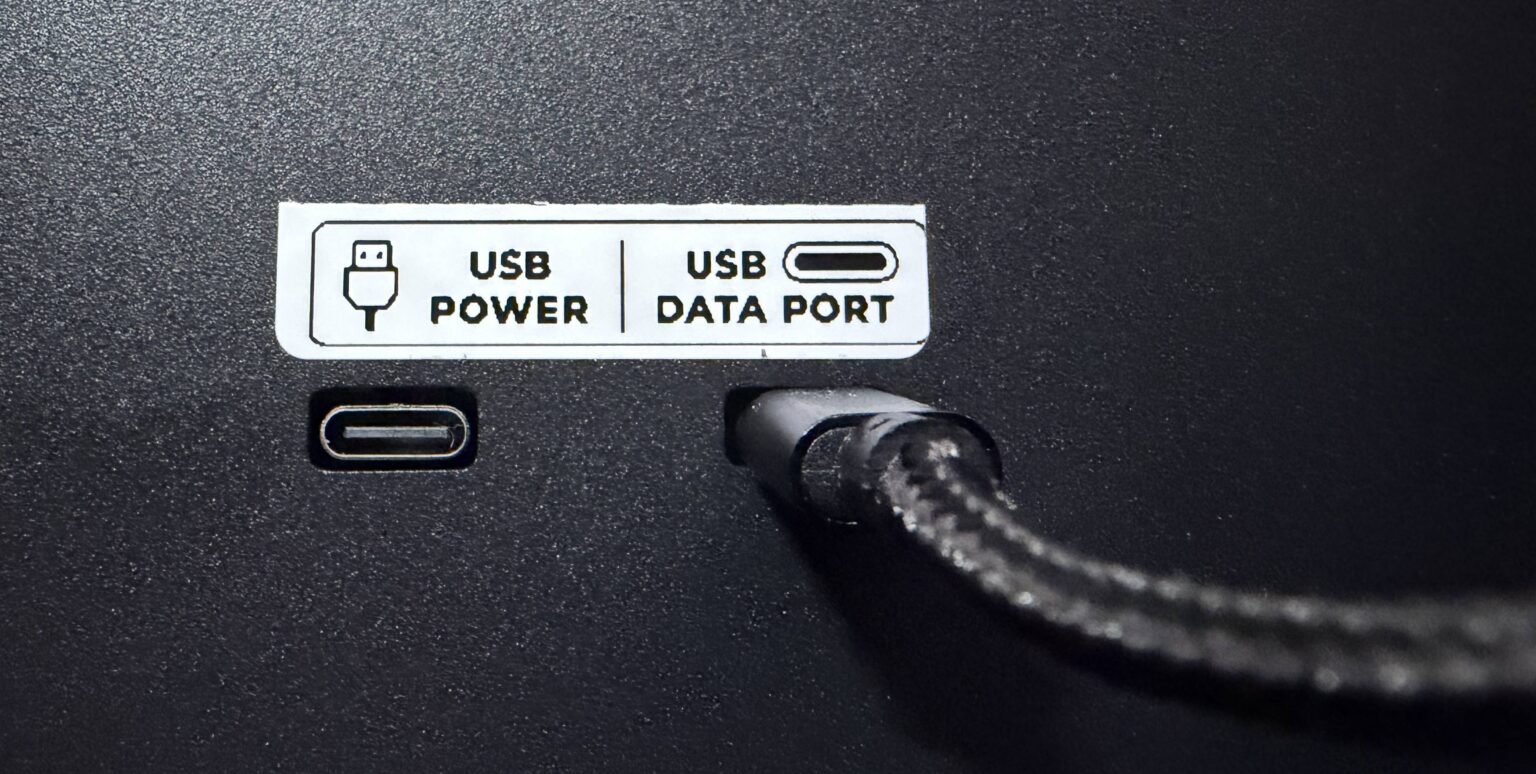
The review unit connected through a supplied 2 m USB-A-to-USB-C cable. One rear USB-C port carries power and data; a second USB-C port can provide supplementary power when required, particularly in a larger cockpit installation.
Mark appreciated the simplicity of a single main connection, but considered a 3 m cable more suitable for overhead mounting. This was one of his clearest practical improvement requests.
The panel uses a 100 × 100 mm VESA mounting pattern and does not include a stand, allowing users to choose a mounting solution that suits their cockpit or desk.
A Flexible Overhead Mounting Solution
For his own setup, Mark attached the A107 Pro to a dual-arm monitor mount on a Next Level Racing rig. Because he uses a 48-inch display, positioning the panel directly above the monitor was not practical. The adjustable arm allowed him to place it within easy reach without blocking the screen or restricting entry to the rig.
The example is useful for home cockpit builders because it shows that the VESA interface can work with readily available mounting hardware. Mark reported that his solution cost approximately £35 at the time of purchase.
Two Paths: RowsfireApp or MobiFlight
RowsfireApp for a simpler start
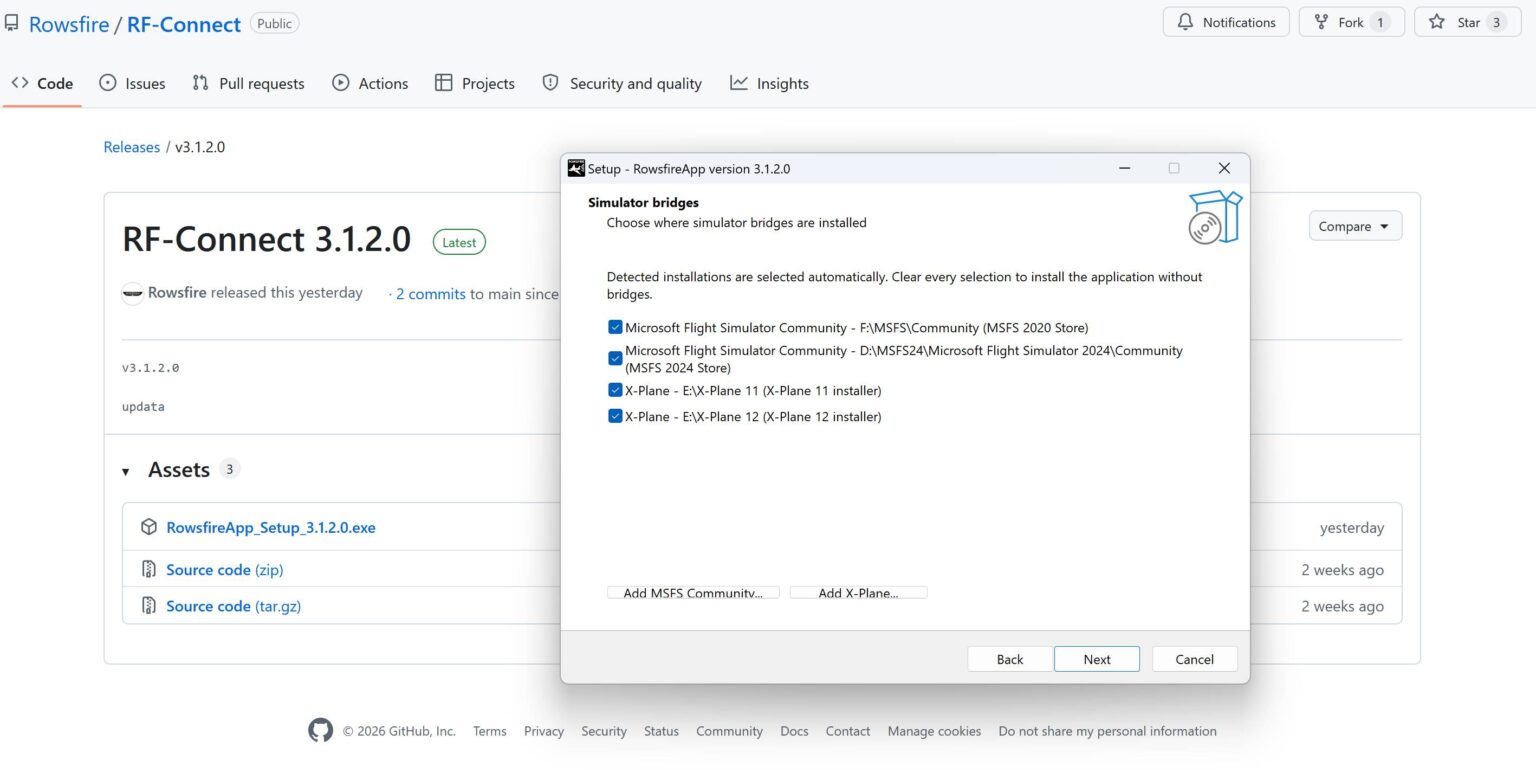
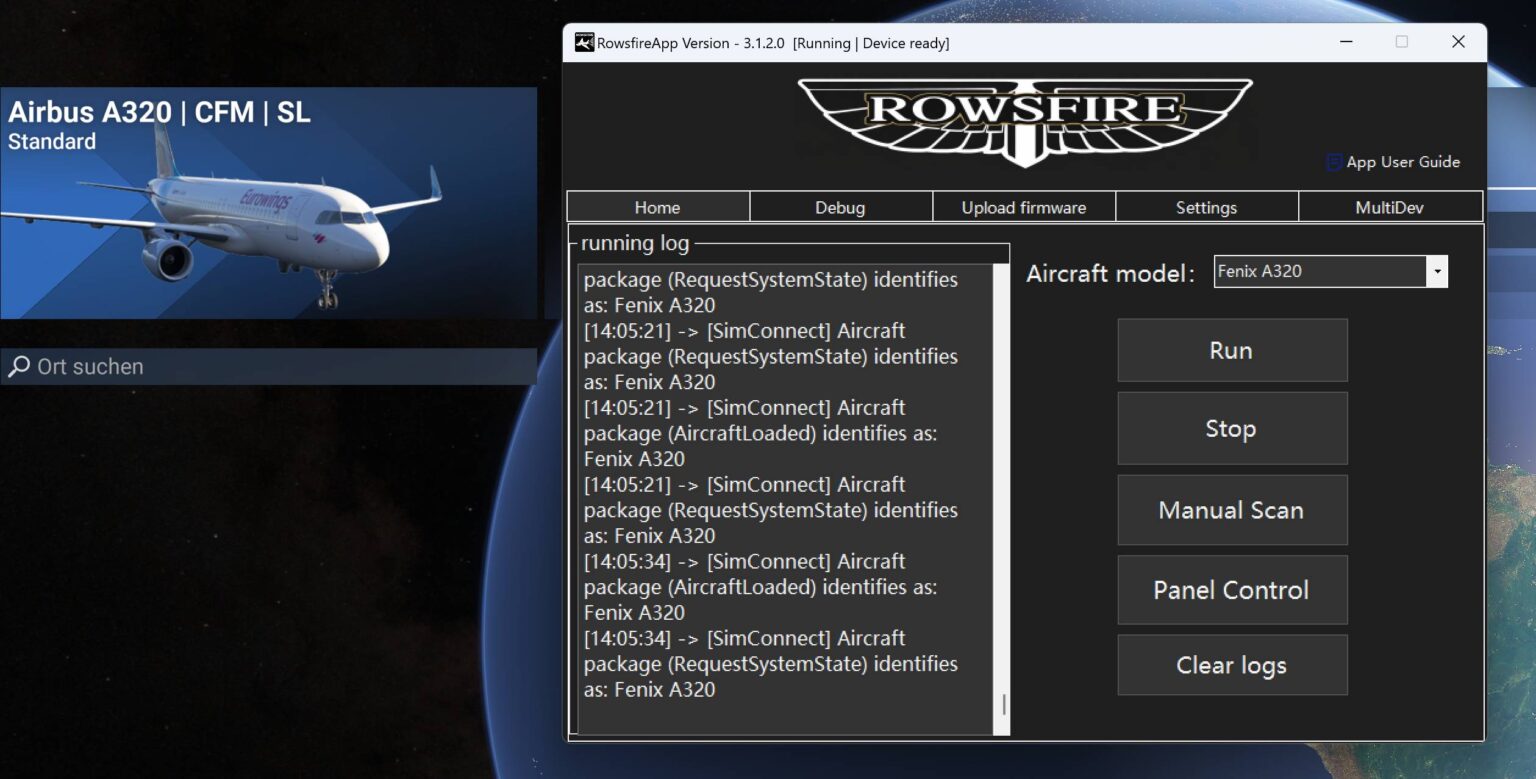
Mark presented RowsfireApp as the easier route for supported aircraft. The application automatically configures compatible profiles and includes a Debug tab for checking lights, switches, rotary controls and buttons before entering the simulator.
During his test, every input registered as expected. His suggested improvement was a graphical representation of the panel in the diagnostic interface, which would make testing more intuitive than reading input values alone.
MobiFlight and FSUIPC7 for deeper configuration
For users who want more control, he highlighted MobiFlight together with FSUIPC7. This route supports community profiles and more detailed configuration, including control over when the panel lighting activates and how it follows the simulated aircraft state.

Responsive Operation Throughout a Complete Flight
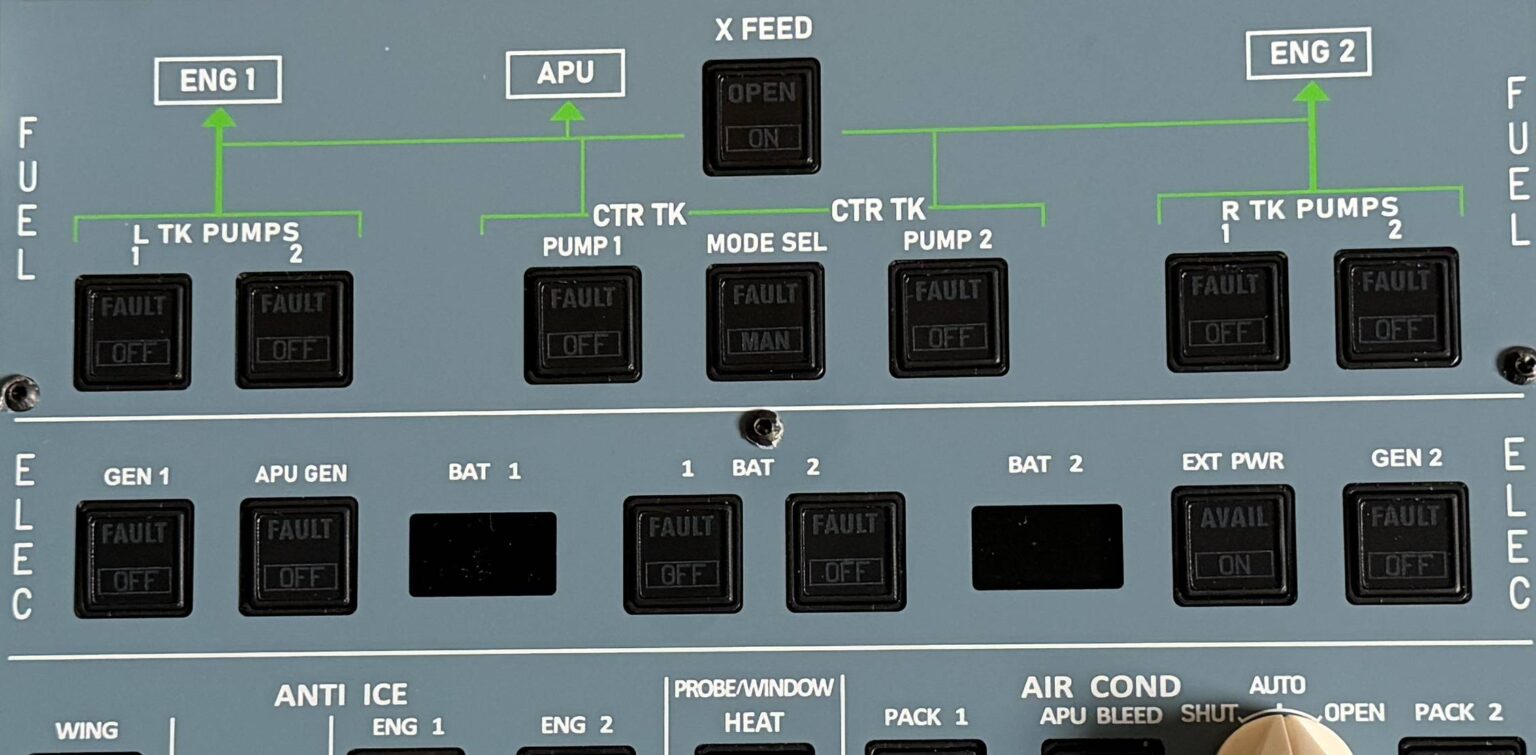
SimHanger tested the A107 Pro with the Fenix A320 in Microsoft Flight Simulator 2024 on a flight from Paris Charles de Gaulle to London Heathrow. Mark used the panel for normal overhead tasks including external power, batteries, ADIRS, emergency lighting, window heat, APU start, fuel pumps, ventilation, bleed air and exterior lighting.
He estimated that the compact panel covers roughly 80% of the full simulated overhead and, importantly, includes the controls most users operate regularly. He reported no significant or recognizable latency during normal operation despite the single main USB cable.
The one exception appeared during the complete overhead light test. The virtual cockpit illuminated immediately, while the physical panel lights appeared in phases. Mark did not consider this a major operational issue and suggested that additional power through the supplementary USB-C port could potentially improve the behavior.
How Did SimHanger Compare It with WinWing?
Mark was careful not to declare a universal winner. He regarded both overhead panels as good products serving slightly different priorities. In his comparison, the WinWing option had a lower list price at the time and included dome lights, while the Rowsfire A107 Pro offered broader functional coverage and more controls representative of the full Airbus overhead .
His conclusion was therefore about balance: users should weigh price and integrated lighting against the number of available switches, buttons and represented overhead functions.
What SimHanger Liked
- Broad functional coverage for a compact Airbus overhead panel
- Firm metal toggle switches and clear rotary feedback
- Push buttons with a positive click and useful travel
- Solid aluminum main enclosure suited to regular use
- Simple RowsfireApp setup for supported aircraft
- MobiFlight option for advanced customization
- No recognizable latency during normal Fenix A320 operation
- Strong balance of functionality, cost and ease of use
Suggested Improvements
- Supply a longer cable for overhead installations
- Give the rotary knobs a more premium visual finish
- Add a graphical panel view to RowsfireApp diagnostics
- Continue expanding supported aircraft profiles
- Improve or document supplementary power behavior during a full-light test
What We Learned from the Review
SimHanger’s test supports the main design goal behind the A107 Pro: provide the overhead controls Airbus sim pilots use most often, in a format that is practical for a home cockpit and accessible without repeated mouse interaction.
The review also gives us specific and useful direction. Cable length, knob appearance, diagnostic visualization and lighting behavior are concrete details that can inform future hardware, software and documentation improvements.
Most importantly, the positive conclusion was based on real installation and flight use—not specifications alone. Mark tested the controls, verified the inputs and operated the panel across a practical A320 flight sequence before describing it as a great product and fair value for money.
Rowsfire A107 Pro Review FAQ
What was SimHanger’s verdict on the Rowsfire A107 Pro?
Mark considered it a great product with fair value for money and one of the best balances of functionality, cost and ease of use. At the time of the video, he described it as the most comprehensive Airbus overhead panel available below US$500.
Which aircraft and simulator were used in the test?
The practical flight demonstration used the Fenix A320 in Microsoft Flight Simulator 2024, flying from Paris Charles de Gaulle to London Heathrow.
Did the reviewer notice input latency?
No recognizable latency was reported during normal operation. The only timing difference appeared during the complete overhead light test, when the physical lights illuminated in phases.
How can the A107 Pro be configured?
Users can choose the simpler RowsfireApp workflow for supported aircraft or use MobiFlight with FSUIPC7 for more advanced configuration and community profiles.
Does the A107 Pro include a mounting stand?
No. It uses a 100 × 100 mm VESA mounting pattern so users can select a compatible stand or arm for their own cockpit layout.
What improvements did SimHanger suggest?
The review suggested a longer supplied cable, more premium-looking rotary knobs, a graphical diagnostic view in RowsfireApp and attention to phased lighting during the full overhead light test.
Bring More of the Airbus Overhead Within Reach.
Explore current specifications, supported aircraft, pricing and availability on the official Rowsfire product page.